
InviBrowser for Affiliate Marketing: Efficient Multi-Account Management
Learn how InviBrowser helps affiliate marketers manage multiple accounts, separate browser profiles, set up proxies, and optimize operational workflows.
Learn how InviBrowser helps affiliate marketers manage multiple accounts, separate browser profiles, set up proxies, and optimize operational workflows.
Affiliate marketing often requires practitioners to manage multiple accounts, campaigns, and promotion channels simultaneously. As the scale expands, switching between accounts, tracking cookies, sessions, and proxies can complicate the workflow.
Instead of using a shared browser environment for all accounts, you can organize each account or project into a separate Browser Profile. InviBrowser supports more centralized management of these environments, while also providing tools to synchronize operations and automate repetitive tasks.
Start your free InviBrowser experience to create dedicated Browser Profiles and organize your accounts by Affiliate campaign.
What common difficulties do affiliate marketers face when managing multiple accounts?
When you are just getting started, you may only need a few accounts to post content, share affiliate marketing links, or track campaigns. However, as you expand to more platforms and projects, manual management can easily become inconvenient.
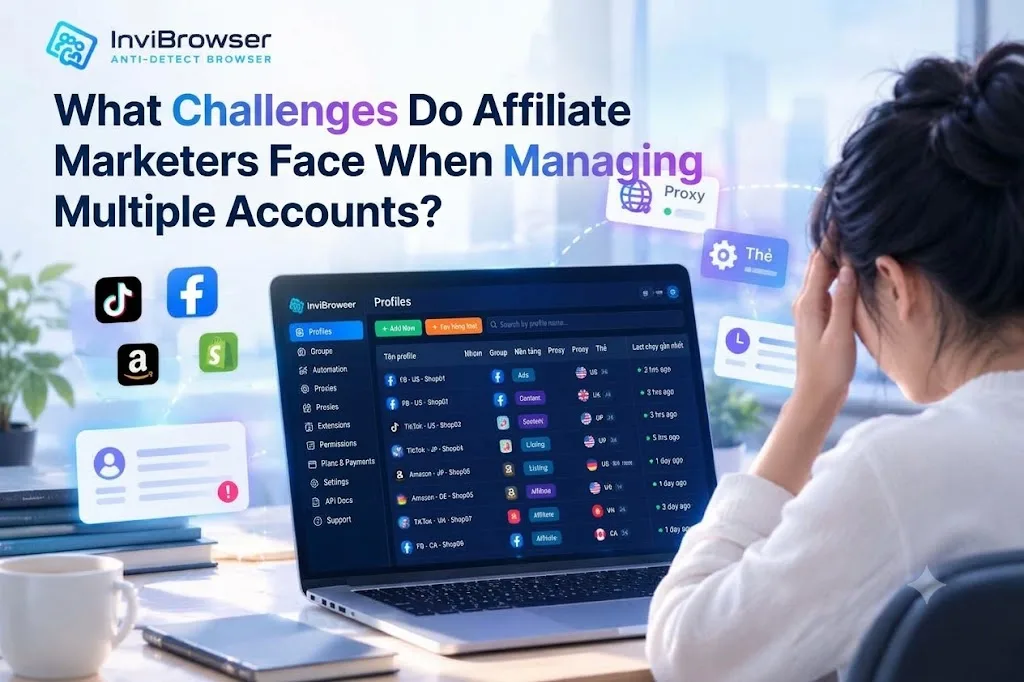
It is difficult to distinguish the environment of each account
If you use the same Profile for multiple accounts, you may have to constantly log out, log in, or switch between multiple work sessions.
This makes it difficult to determine which accounts belong to which campaign, especially when you are managing multiple promotion channels simultaneously.
Difficulty keeping track of proxies and browser configurations
When each project has its own connection or configuration requirements, remembering the proxy and settings for each account will take up a lot of time.
If you do not set up this process from the very beginning, you may have to recheck each environment every time you need to change the configuration.
Wasting time on repetitive operations
Some regular tasks that Affiliate partners need to perform include accessing their Profile, checking their account, or carrying out standardized operational procedures.
As the number of accounts grows, these operations take up more time and make management difficult to scale.
How does InviBrowser support Affiliate Marketing?
InviBrowser is an anti-detect browser that allows users to create and manage multiple independent browser profiles. Each profile can be configured with its own cookies, sessions, proxy, and other browser parameters.
For Affiliate Marketers, the main benefit lies in being able to organize their work environment by account, campaign, or project, instead of managing everything within a single shared Profile.
Separate each account into a dedicated Browser Profile
Instead of using a single browser environment for multiple accounts, you can create separate profiles tailored to each of your needs.
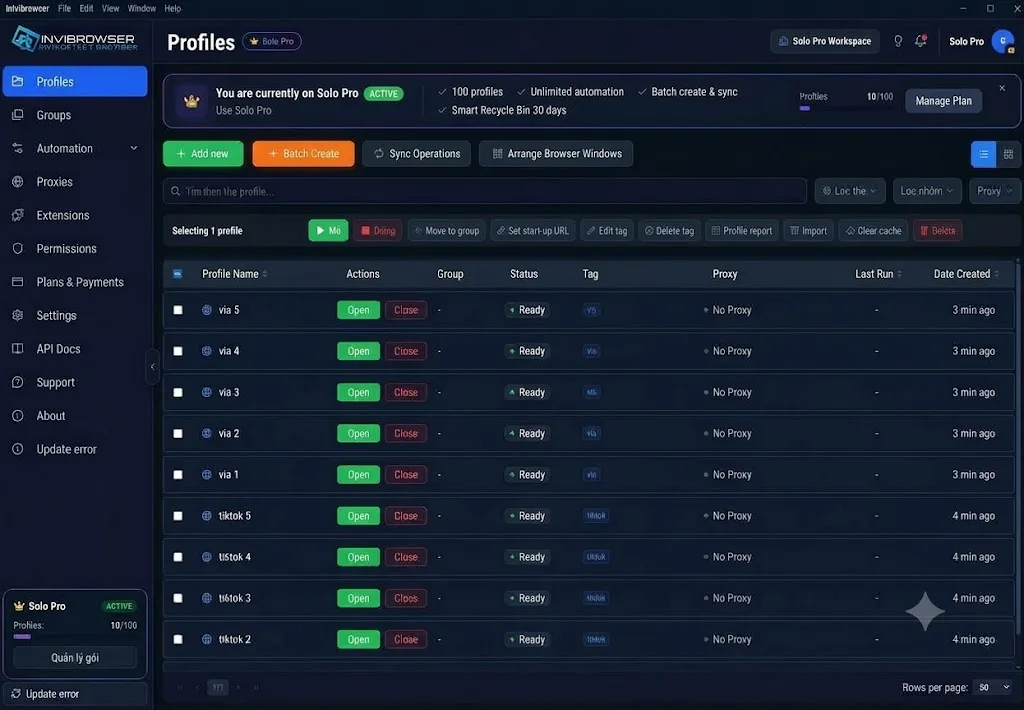
Example:
-
Profile A: Social media account dedicated to Affiliate Campaign A.
-
Profile B: Content management account for Campaign B.
-
Profile C: Account for Affiliate Project C.
Each profile can maintain separate browser data and settings, making it easy to identify and switch to the correct environment for your work.
As the number of accounts increases, assigning clear names and classifying Profiles from the very beginning also helps reduce confusion during operation.
Learn more: Understanding Cookies, Sessions, and Browser Profiles Correctly When Managing Multiple Accounts
Profile-based Proxy Management
Proxies are a key consideration when affiliate workflows require distinct connection environments.
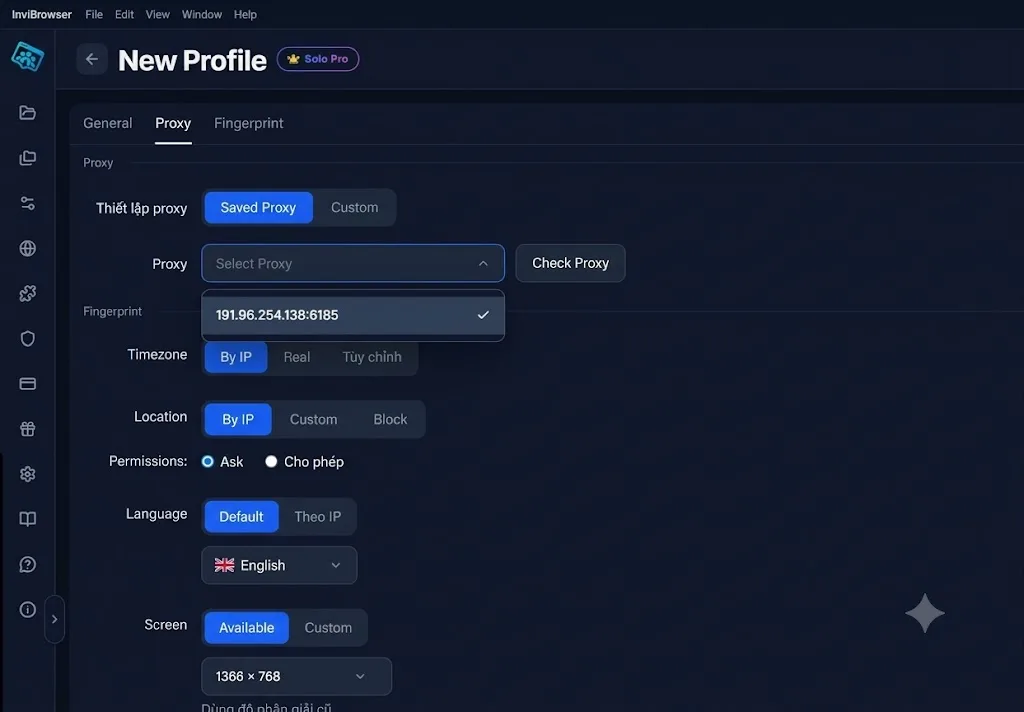
InviBrowser allows you to set up proxies based on browser profiles, making it easy to track the configuration of each environment without having to manually memorize the entire list.
You can organize proxies by account or project, test the connection before use, and modify the configuration as needed.
Please note that proxies do not guarantee that an account will avoid verification or restrictions imposed by the platform. You still need to comply with the policies of each respective service.
Learn more: What is a Proxy? How Proxies Work and a Beginner's Guide to Using Proxies
Classify Profiles by Affiliate Campaign
When managing multiple campaigns, organizing Profiles according to a consistent rule helps you search and control your environment more easily.
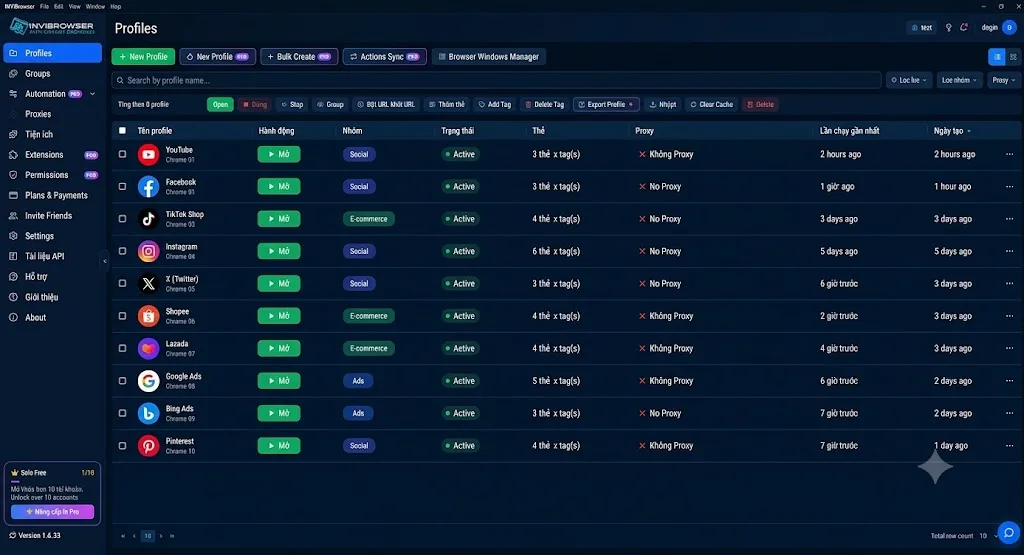
InviBrowser supports naming, grouping, and tagging Profiles.
You can sort by:
-
Affiliate Campaign.
-
Promotion platform.
-
Customer or project.
-
Responsible member.
-
Operating status.
This organizational approach is particularly useful when you are working as a personal Affiliate while also collaborating with an Agency or multiple different partners.
Learn more: Guide to creating and managing Profiles on InviBrowser
Synchronize operations across multiple Profiles
If you need to perform the same operations on multiple Profiles, repeating each step in every single window can be very time-consuming.
The feature Sync Control of InviBrowser allows you to perform actions on a main Profile and synchronize them to other Profiles that are being controlled.
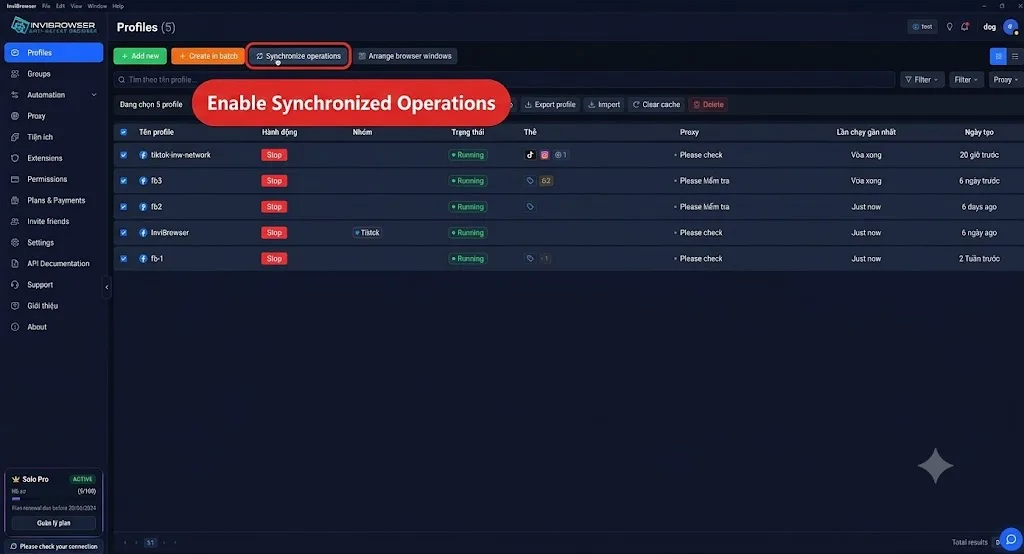
This feature is suitable for processes with repetitive operations, where users still need to directly monitor and control the execution process.
However, not all operations are suitable for bulk synchronization. You need to check the content, accounts, and requirements of each platform before applying the operation.
Automate repetitive operations
In addition to operation synchronization, InviBrowser also supports Workflow Automation for building automated workflows.
Instead of manually repeating each step, you can set up a workflow for tasks that align with your work process.
Automation can be useful when you need to:
-
Standardize repetitive operational steps.
-
Reduce the time spent on manual work.
-
Organize the workflow by individual Profile.
-
Easier to manage as the number of accounts increases.
For tasks related to posting content, running ads, or managing accounts, ensure that your workflow complies with the platform's terms and does not automate prohibited actions.
Managing Group-Based Affiliate Profiles
If you are doing Affiliate marketing with multiple partners, you may need to assign each account or project to a specific team member.
InviBrowser supports Workspace organization, Profile sharing, and member permission assignment based on job requirements.
Instead of sharing all login credentials with everyone, managers can grant access only to the necessary Profiles. This makes it easier for the team to assign tasks, hand over work environments, and control access permissions when there are personnel changes.
Who is InviBrowser suitable for in Affiliate Marketing?
Individual Affiliate Marketer
If you manage multiple accounts or campaigns on your own, Browser Profile helps you separate your work environments more clearly. You can also start with the free plan to get familiar with it before scaling up.
Multi-channel promotion operator
If your work involves social media, websites, content, and various affiliate platforms, organizing profiles by project makes it more convenient to switch between different environments.
Team Affiliates and Agencies
For teams managing multiple accounts, separating Profiles by team members and assigning appropriate permissions helps create a clearer handover process.
Get started with InviBrowser with the forever-free plan priced at 0 VND
If you are not sure whether InviBrowser is suitable for your affiliate marketing approach, you can start with the Free plan.
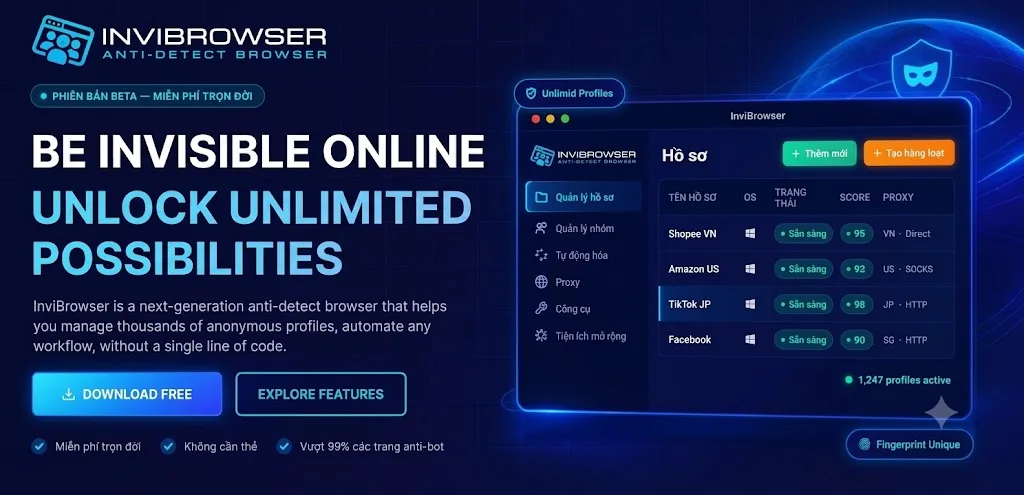
The free plan currently offers:
-
10 Browser Profiles in the personal workspace.
-
5 Workflows, each Workflow has 10 runs per day.
-
Export a maximum of 2 Profiles at a time.
-
Core antidetect features.
-
Basic Workspace Team with a maximum of 2 members.
These limits are sufficient for you to try organizing a Profile group, setting up Proxies, and getting familiar with Workflow Automation before deciding to upgrade.
As the number of accounts or operational needs grow, you can consider a more suitable paid plan.
Experience InviBrowser completely free of charge to start creating Profiles and organizing your workspace for each Affiliate campaign.
Conclusion
When running Affiliate Marketing with multiple accounts and campaigns, maintaining a well-organized browser environment helps reduce confusion and makes operations more convenient.
With InviBrowser, you can isolate browser profiles, manage proxies, synchronize operations, and automate relevant tasks all within a single system.
See also:
-
What Is an Antidetect Browser? A Complete A-Z Guide for Beginners
-
Understanding Cookies, Sessions, and Browser Profiles Correctly When Managing Multiple Accounts
You can try InviBrowser for free to start managing browser profiles and streamline your affiliate marketing workflow more efficiently.