
Synchronize operations across multiple accounts simultaneously with InviBrowser
When you have 20 accounts that all need to perform the same task, would you sit there opening each window one by one and repeat the process 20 times, or handle
When you have 20 accounts that all need to perform the same task, would you sit there opening each window one by one and repeat the process 20 times, or handle all of them at the same time?
When you only manage 2–3 accounts, switching between windows and repeating actions is not a major issue. But when you scale up to 20,50 or even hundreds of Browser Profiles, seemingly simple tasks like accessing websites, entering content, scrolling pages or clicking the mouse can take up a huge amount of time.
This is where Sync Control in InviBrowser comes into play. Instead of operating each window individually, you only need to select one main Profile to control, and the other Profiles will synchronize the corresponding actions.
Try InviBrowser for free to test synchronized operations and manage multiple Browser Profiles in a single interface.
Want to see a direct usage demo? Follow the video Guide to synchronizing operations across multiple accounts with InviBrowserto learn how to select a Master Profile and control multiple windows at the same time.
What is multi-account operation synchronization?
Syncing operations across multiple accounts (Sync Multiple Browser Profiles) is a feature that allows users to perform an action on the main browser window, then synchronize that action to other connected browser windows.

Instead of having to switch between each Profile to perform the same task repeatedly, you can control multiple windows through a main Profile, also known as a Master Profile.
For example, you have 20 Browser Profiles open and need to access the same website:
-
If performing the operation manually: Open each window, enter the website address, and press Enter.
-
If using Sync Control: Select a Master Profile, enter the website address once, and the remaining windows will perform the corresponding operations.
This feature also supports synchronization of actions such as text input, page scrolling, and mouse clicks.
The key point is that you still retain direct control over the process, without needing to repeat the same sequence of operations on each individual window.
Why is it necessary to synchronize operations when managing multiple Browser Profiles?
As the number of accounts increases, the challenge lies not only in creating and managing multiple profiles, but also in the volume of work that needs to be carried out in each window.
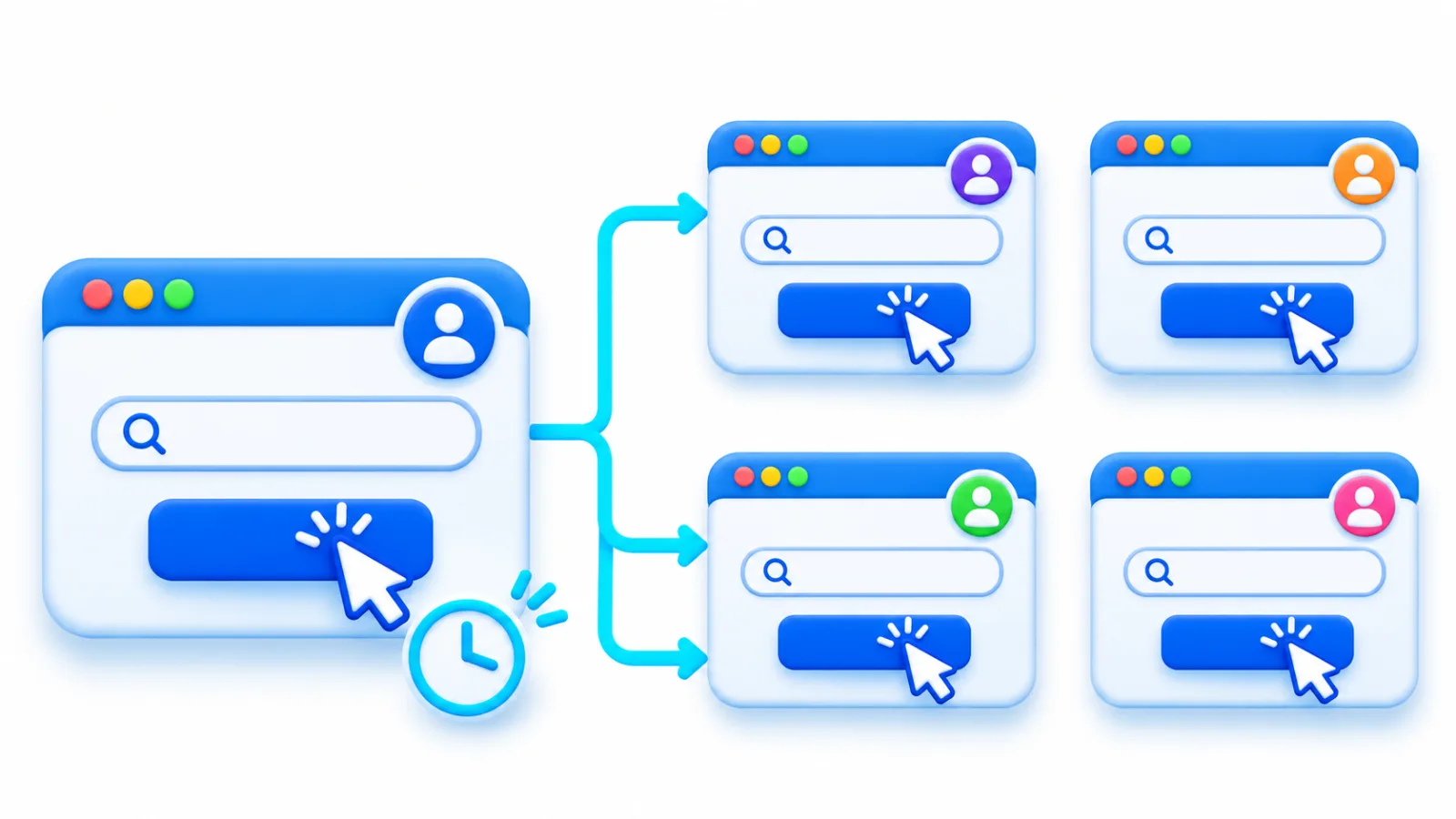
Some common situations:
The same operation has to be performed multiple times
You need to access a website, enter the same content, or perform a series of identical operations across multiple accounts.
If there are only 5 Profiles, manual operation is still relatively simple. However, when the number of Profiles ranges from 30 to 50, the time required will increase significantly.
Need to switch between windows constantly
Every time you complete an operation, you have to switch to the next window and start all over again.
This not only wastes time but also disrupts the workflow.
Difficulty maintaining consistent processes
When performing manual operations on multiple Profiles, you may miss steps, enter incomplete data, or carry out tasks in the wrong order.
This is especially critical when multiple accounts need to work on the same task, as maintaining a consistent workflow becomes even more important.
Instead of repeating each step individually, you can use Sync Control to manage multiple windows from a single location.
How does Sync Control work on InviBrowser?
Sync Control is a feature that synchronizes operations across multiple Browser Profiles of InviBrowser.
It operates based on a model consisting of one main window and multiple corresponding operation-receiving windows.
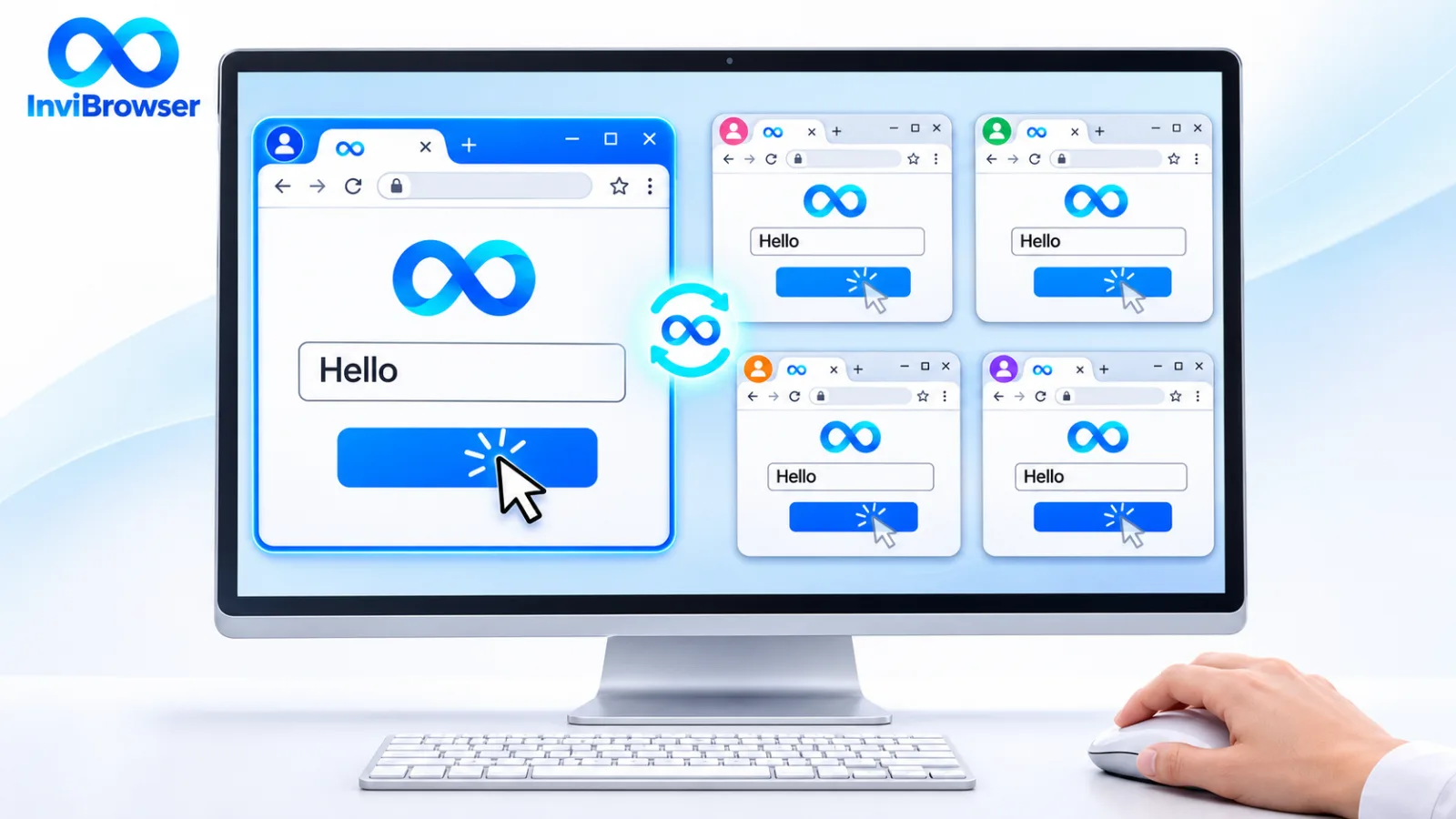
Among them:
-
Master Profile: The primary profile that you directly use for control operations.
-
Remaining Profiles: These are the windows selected to receive and synchronize operations from the Master Profile.
When Sync Control is enabled, the operations you perform on the Master Profile will be synchronized to the other windows.
Suppose you have 5 Browser Profiles open, and all of them need to access the same website, enter the same content, or perform the same operation.
You select Profile A as the Master Profile. When you perform operations on Profile A, the remaining profiles will be synchronized accordingly:
Thus, instead of switching between 5 profiles to perform the same task, you only need to operate on Profile A to sync changes to the remaining 4 profiles.
If you want to manage a single account separately, simply turn off Sync Control and continue operating independently as usual.
If you want to manage a single account separately, you only need to turn off synchronization and continue operating independently as usual.
Guide to synchronizing operations across multiple profiles using InviBrowser
To use Sync Control, you need to prepare the Browser Profiles you want to control in advance.
The implementation process includes the following steps:
Step 1: Select the Browser Profiles to be synchronized
First, open the Profile management section in InviBrowser.
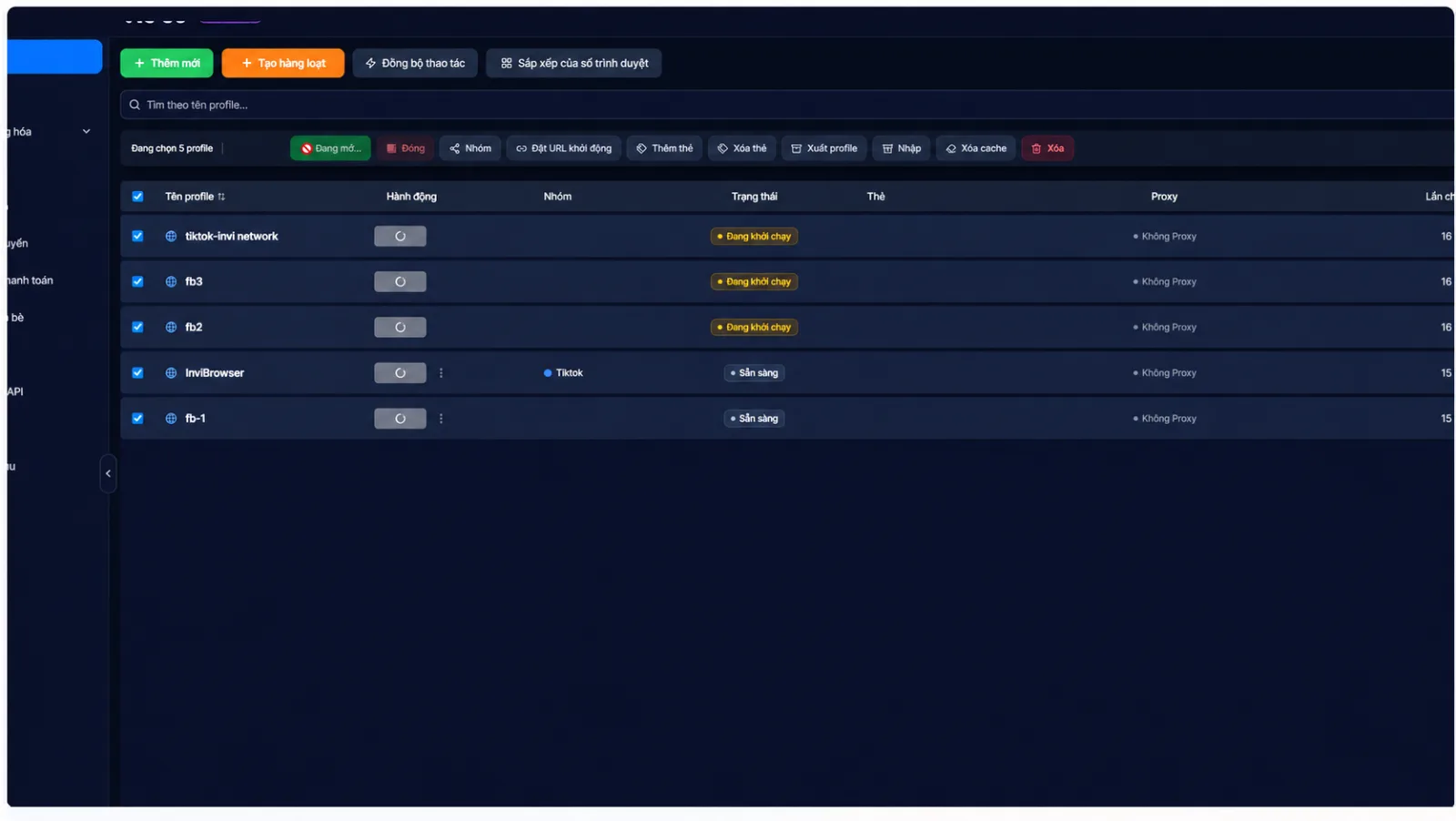
Here, select the Profiles that need to perform the same task.
You should double-check the list to ensure that you have selected the correct Profiles to sync, and avoid including unrelated accounts in the same operation session.
Step 2: Launch the Profiles
Once you have finished selecting, proceed to open the chosen Profiles.
Each Profile will be launched in a separate browser window.
Wait for all windows to finish opening and check the status before enabling synchronization.
Step 3: Enable Sync Control
Once the profiles are ready, enable the Sync Control feature to start synchronizing operations across multiple windows.
At this point, you can control multiple windows within the same work session instead of having to switch between and operate them individually.
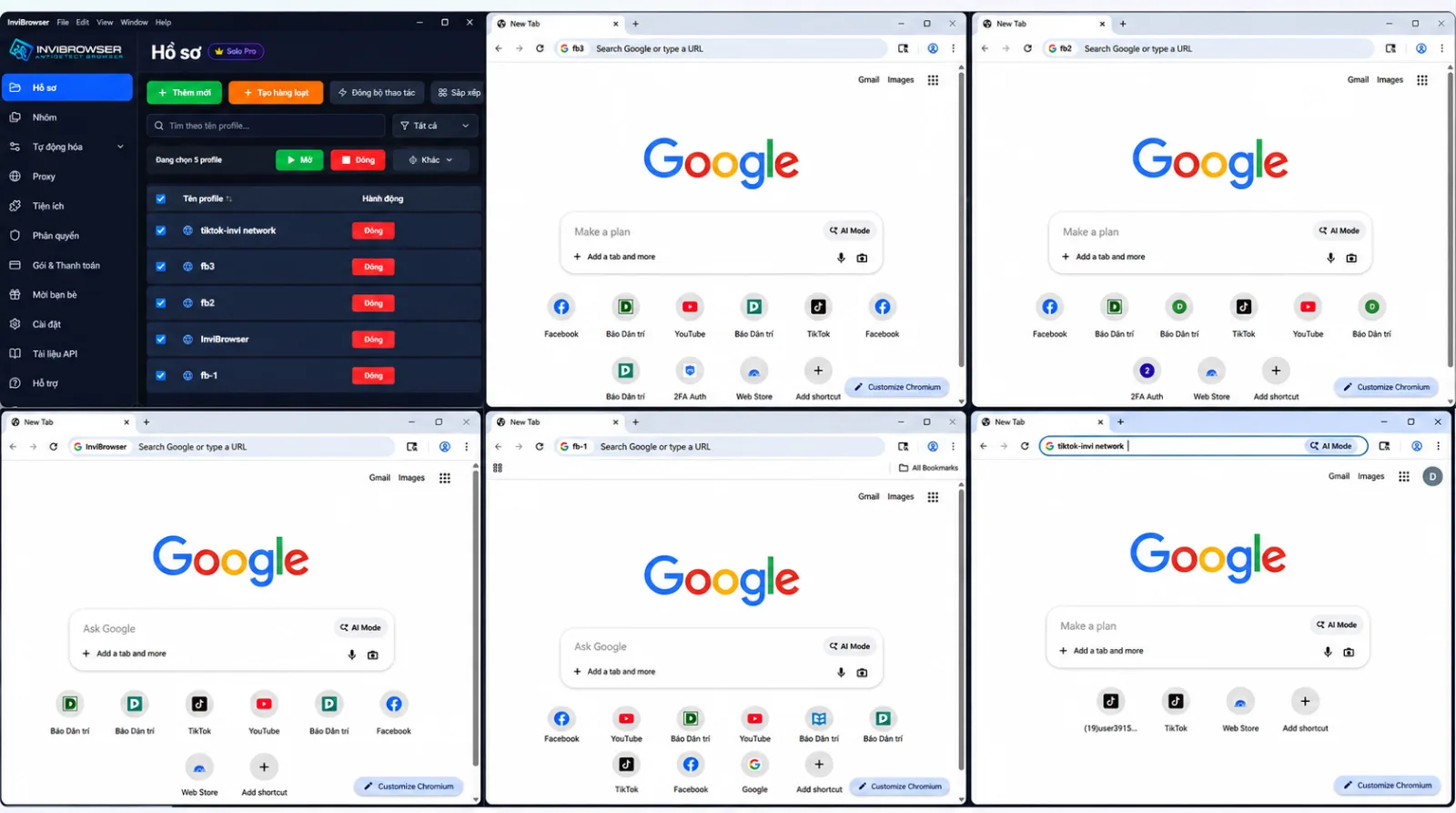
Step 4: Select Master Profile
Next, select a Profile to use as the main control window.
This is where you will directly perform the operations.
The remaining Profiles will receive and execute the corresponding operations from the Master Profile.
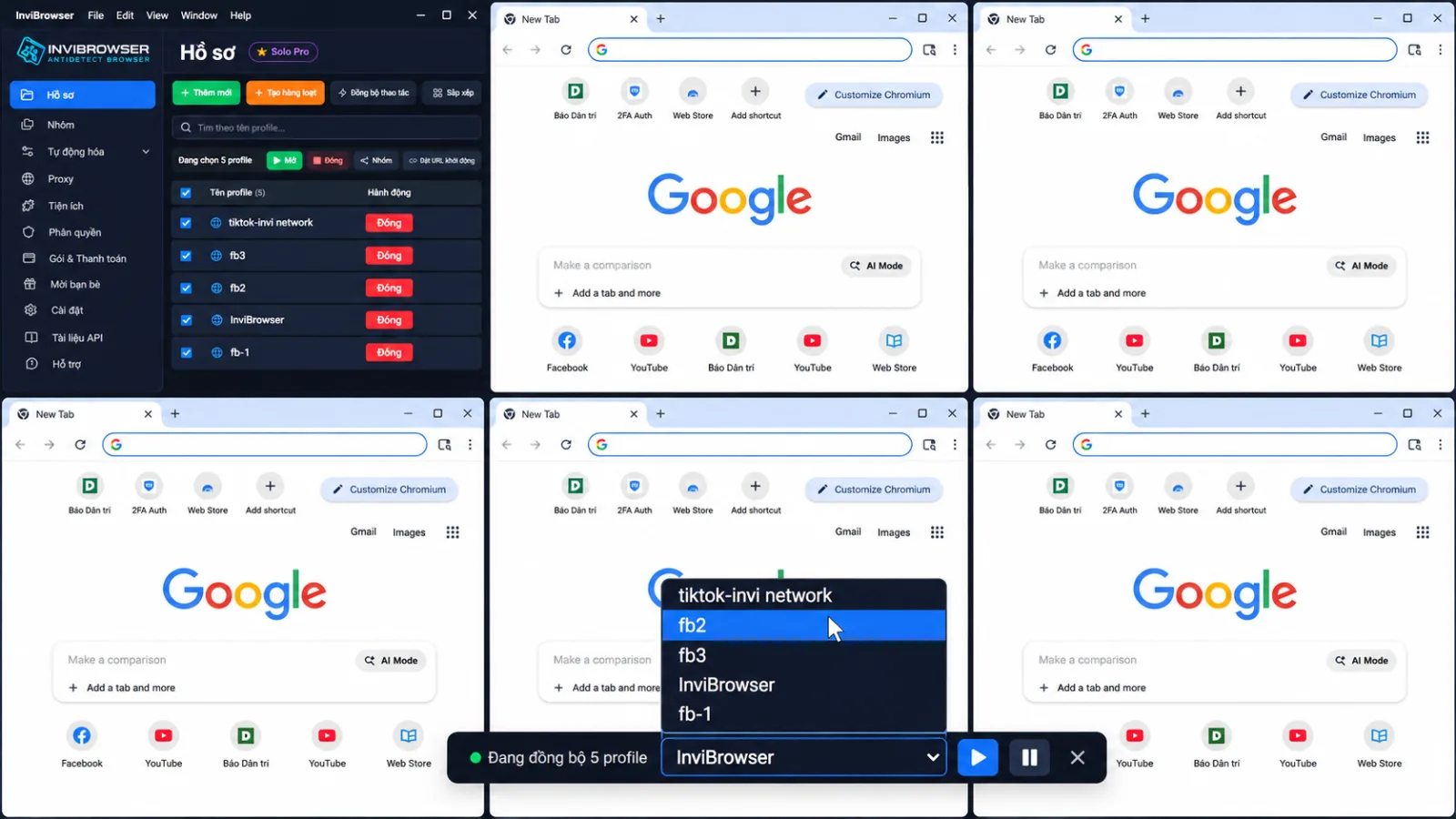
Step 5: Perform operations on the main window
Once the setup is complete, you can start working on the Master Profile.
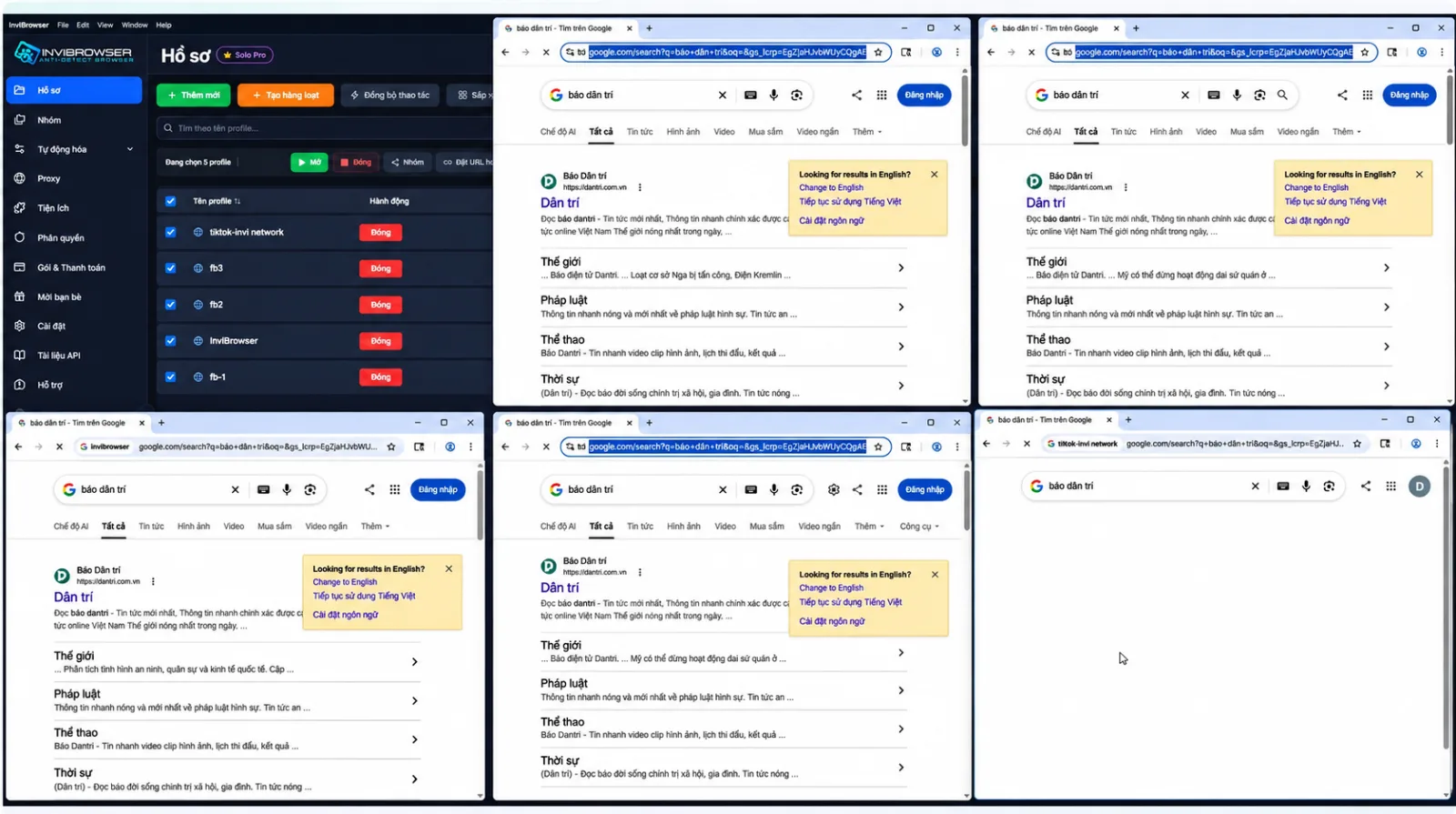
Example:
-
Enter the content into the text box.
-
Visit a website.
-
Scroll the page up or down.
-
Click on the positions that require action.
These actions will be synchronized to the remaining windows.
Instead of having to perform the same task across 20 Profiles, you only need to operate in the main window.
Step 6: Turn off synchronization when you need to perform separate operations
When you have finished collaborative work or need to handle an account separately, you can turn off Sync Control.
These profiles can then be manipulated independently, just like regular browser windows.
Operations that can be synchronized on InviBrowser
Sync Control is most useful when multiple Profiles need to perform similar actions within the same workflow.
Some typical operations include:
Enter text
When you need to enter the same content into text fields, you only need to do so in the Master Profile.
Other windows will synchronize the corresponding data entry operations.
Click the mouse
If multiple windows require the same click operation, you do not need to switch to each profile to click again.
Simply click on the main window, and the windows that are being synchronized will perform the corresponding operation.
Scroll page
When you need to move content across multiple windows, scrolling operations performed on the Master Profile are also synchronized to all other Profiles.
Access the same website
If multiple accounts need to access the same website, you can enter the URL in the main window instead of doing it separately for each window.
These operations are particularly useful for tasks that follow the same process and do not require separate handling for each account.
When should Sync Control be used?
Not all tasks require synchronization. This feature works most effectively when multiple Profiles need to perform the same sequence of operations.
Some applicable cases:
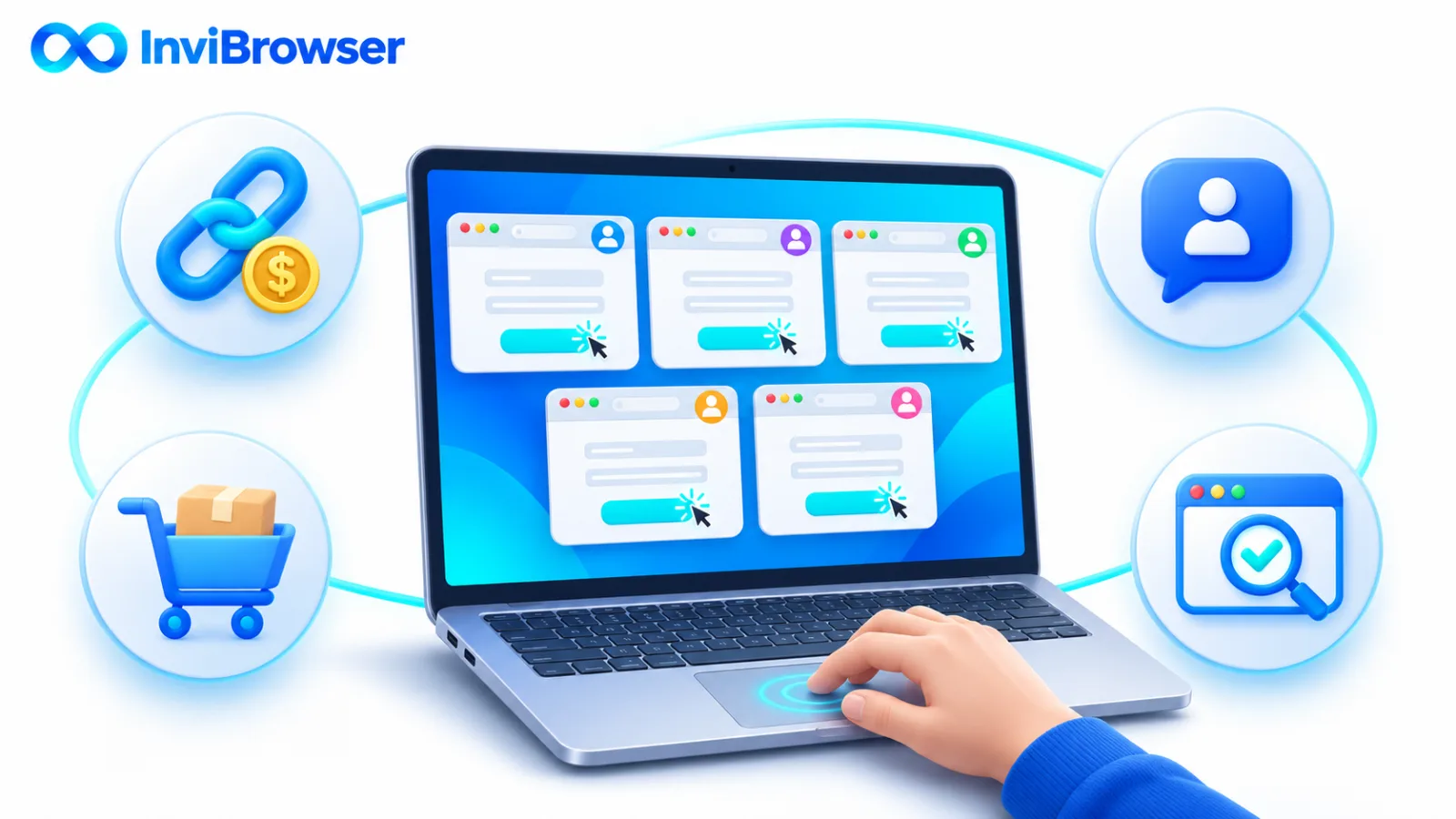
MMO and Affiliate Marketing
When managing multiple accounts, you may need to access the same website or perform repetitive operations across multiple Profiles.
Sync Control helps reduce the need to constantly switch between windows.
Social Media
When operating multiple account environments, the synchronization feature supports tasks such as accessing pages, entering data, or checking interfaces across multiple windows.
E-commerce
When you need to open the same management page or test similar interfaces across multiple Profiles, you can perform operations from the main window to save time.
Check the website and interface
If you need to test a website across multiple browser environments, synchronizing access and interactions helps reduce the number of manual steps required.
Start synchronizing multiple accounts with InviBrowser
When there are only a few accounts, performing manual operations on each window may not cause much inconvenience.
But when the number increases to 20,50 or more, these repetitive tasks will quickly take up the majority of operational time.
With Sync Control on InviBrowser, you can select a Master Profile to control the remaining windows, synchronize corresponding operations, and reduce the need to perform the same task repeatedly.
In addition to Sync Control, InviBrowser also provides:
-
Manage multiple browser profiles.
-
Separate Cookies and Sessions per Profile.
-
Configure Browser Fingerprint.
-
Proxy Management.
-
Groups and Tags.
-
Workflow Automation.
-
Workspace and Team permissions.
If you are just getting started, you can use the Forever Free plan that includes 10 Browser Profiles and 5 Workflows to get familiar with the system before upgrading.
Try InviBrowser for free to test Sync Control and streamline your workflow with multiple Browser Profiles.
Conclusion
When managing multiple accounts, the issue is not just about how many Browser Profiles you can open, but also how to reduce the repetitive operations that need to be performed on each window.
Sync Control on InviBrowser solves this problem by allowing a Master Profile to control multiple windows simultaneously. You only need to perform actions on the main window, and the other Profiles will carry out the corresponding actions.
Instead of having 20 accounts perform the same task 20 separate times, you can synchronize operations to save time and optimize your workflow.
See also:
You can try InviBrowser for free to test synchronizing operations across multiple browser profiles and cut down the time spent on repetitive daily tasks.