
Free Antidetect Browser: 5 Tools With Free Plans Worth Trying Before Your Account Gets Suspended Again
Compare the 5 best free antidetect browsers for 2026: InviBrowser, AdsPower, GoLogin, Incogniton, MoreLogin. Free profile counts and features side by side.
If you manage multiple social media accounts for an agency, run several ad accounts to test performance, or need a separate browser environment for each QA project, then a free antidetect browser is a sensible starting point before spending money on a paid plan. This article compares the 5 most worthwhile tools with a free version available today, helping you choose correctly from your very first try.
What Is an Antidetect Browser and What Is It Used For?
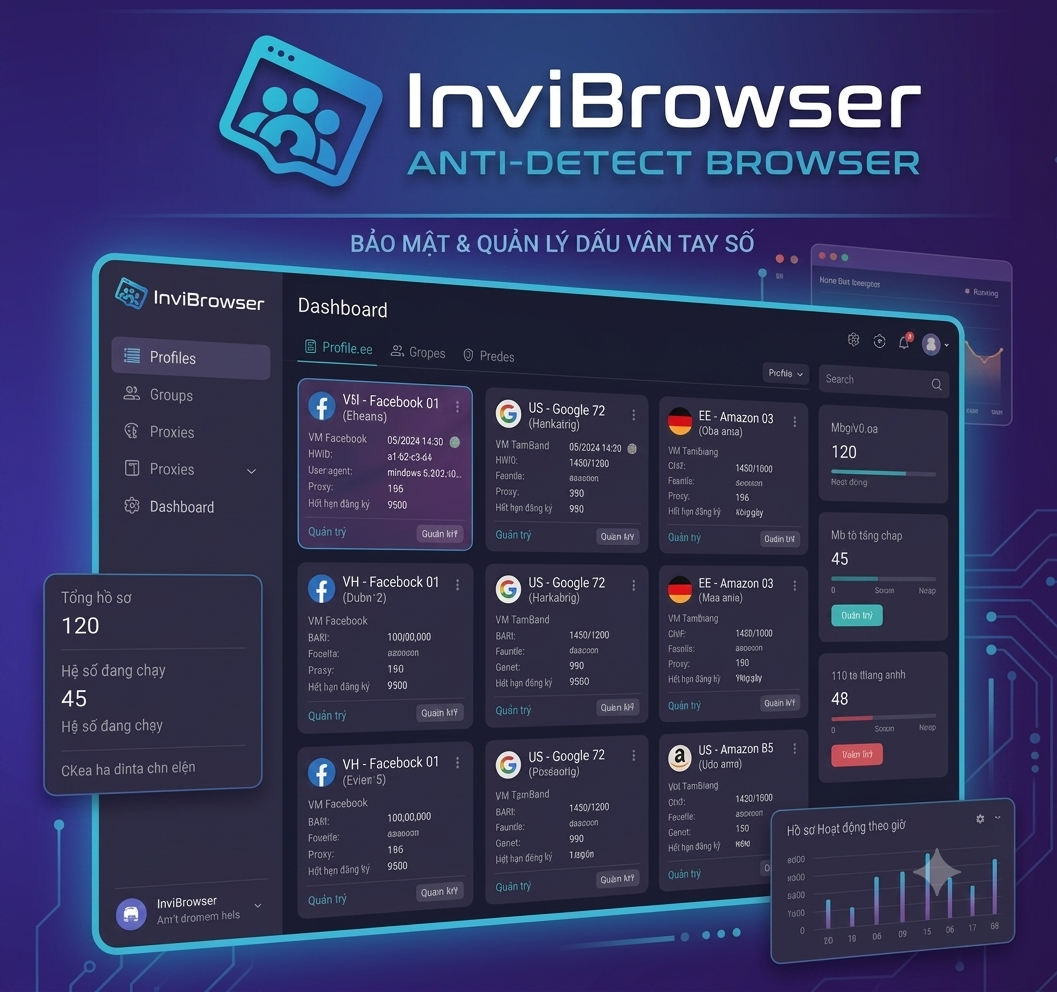
An antidetect browser is a browser that lets you create many independent "browser profiles," each with its own device fingerprint, cookies, and login session, fully isolated from one another. In essence, it is a digital identity management tool that serves real work needs:
- Agencies managing multiple accounts: each employee or each client gets a separate browser profile, avoiding login-session conflicts when operating many social media or e-commerce accounts at the same time.
- Multi-environment QA testing: developers and testers use multiple profiles to simulate different browser conditions, locations, and devices when testing websites or applications.
- Ad verification and checking: marketing teams need to see ads displayed correctly per region and per device without being affected by their personal browsing history.
- Personal security and privacy: preventing platforms from cross-site tracking between work and personal accounts.
Why Should You Try a Free Antidetect Browser First?
Before committing to a monthly paid plan, trying the free version helps you:
- Check whether the interface and profile-creation speed fit your current workflow.
- Assess how stable it is when running many profiles in parallel on your own machine.
- Confirm the tool is compatible with the platforms you manage (social media, e-commerce marketplaces, advertising tools).
- Avoid paying if the tool does not provide enough profiles or the features you need.
Comparing the 5 Best Antidetect Browsers With a Free Plan
InviBrowser — A Clear Free Plan, No Payment Card Required
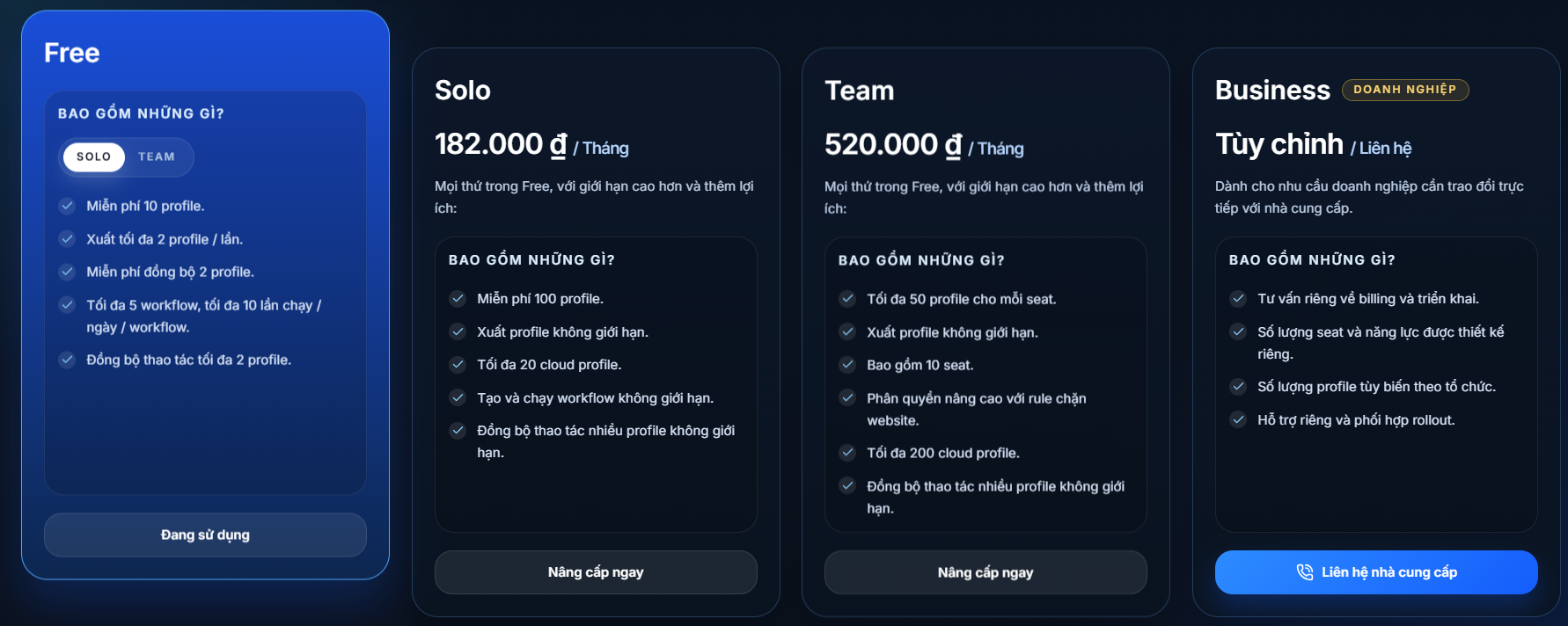
InviBrowser's Free plan lets you create 10 free profiles, along with several specific benefits: export up to 2 profiles at a time, free sync for 2 profiles, up to 5 workflows with 10 runs per day for each workflow, and synchronized actions across up to 2 profiles at once.
This is a suitable limit for fully experiencing the core features of profile creation, automated workflows, and action syncing before considering an upgrade. As your needs grow, InviBrowser offers a clear upgrade path in tiers: the Solo plan (100 profiles, unlimited exports and workflows), the Team plan (50 profiles per seat, 10 seats, advanced permission control), and a Business plan customized to your company's scale, so users don't have to switch to a different platform entirely as they expand. Currently, InviBrowser supports Windows 10 and Windows 11.
AdsPower — Stable for Basic, Long-Term Needs
AdsPower's free plan lets you create 2 permanent profiles, with no time limit on usage and no payment card required at sign-up. It suits people who only need to manage 1-2 parallel accounts, for example separating a personal account from a work account.
GoLogin — Strong Fingerprint Customization Even on the Free Version
GoLogin's Forever Free plan provides 3 profiles, bundled with a free proxy and nearly all of the advanced fingerprint options (except team collaboration features). It's a good choice for technical users who want detailed control over every browser parameter.
Incogniton — A Generous Initial Profile Count
Incogniton gives 10 free profiles for the first 2 months, then automatically reduces to 3 permanent profiles if you don't upgrade. It's suitable if you need to test large numbers over a short period before deciding to commit long-term to a tool.
MoreLogin — Includes a Free Cloud Phone Environment
In addition to 2 lifetime free browser profiles, MoreLogin also throws in 2 Cloud Phone profiles (a virtual Android environment). This is a differentiator if your work requires checking behavior on mobile platforms, not just on the desktop browser.
(Note: the prices and profile limits above may be adjusted over time; check the updated pricing page for the most accurate figures at the time you sign up.)
How to Sign Up for InviBrowser's Free Antidetect Browser
The process to register and start using the free version of InviBrowser includes these steps:
- Visit the InviBrowser homepage and choose to download the Windows 10/11 version, with no need to enter payment card details.
- Install the application; this usually takes around 60 seconds on a machine with typical specifications.
- Create an account with your email to start using the Free plan with 10 free profiles.
- Create your first profile using the "Add new" button, or use "Bulk create" if you need to create many profiles at once.
- Attach a proxy to each profile (HTTP, HTTPS, SOCKS5, or SSH tunnel) if your work requires an IP address in a specific region.
- Set up an automated workflow if you need to repeat actions across many profiles; the Free plan allows up to 5 workflows, each running up to 10 times per day, enough to experiment before scaling up.
Things to Keep in Mind When Using a Free Antidetect Browser
- Profile count limits: most free plans allow only 2-10 profiles, and some tools (like Incogniton) automatically reduce the number after a certain period. Read the conditions carefully before planning long-term use.
- Lack of team collaboration features: most free plans don't allow adding members or sharing profiles within a team. This is usually a feature reserved for paid plans.
- Bundled proxies may be limited: some tools only provide shared proxies or limit the number of countries on the free version, affecting stability if you need an IP in a specific region.
- Always comply with each platform's terms of service: although the tool is legal and widely used by agencies, QA, and marketing teams, users still need to ensure the way they operate their accounts complies with the policies of each platform they manage.
- Check your machine's specs before running many profiles at once: opening many profiles in parallel can consume RAM and CPU, so try with a small number before scaling up.
- When your needs exceed the free limits, that's the time to consider upgrading to a paid plan for more profiles, dedicated proxies, and team management features.
How to Choose the Free Antidetect Browser That Fits Your Needs
- Determine the number of accounts you need to manage at once to choose a tool with a suitable profile limit.
- Check the level of fingerprint customization if your work requires high reliability when verifying ads or managing accounts long-term.
- Prioritize tools with a clear upgrade path, so that as your workload grows, you don't have to switch platforms entirely and redo the setup from scratch.
- Read the usage policies carefully for each platform where you manage accounts, ensuring your usage complies with the terms of service.
Frequently Asked Questions
Is a free antidetect browser enough for long-term use? For managing fewer than 10 accounts, InviBrowser's Free plan (10 profiles) or Incogniton (10 profiles for the first 2 months) is usually sufficient. As the number of accounts grows or you need more team members accessing them, you'll need to consider a paid plan such as Solo or Team.
Does using a free antidetect browser affect computer speed? Running many profiles at once can consume RAM and CPU depending on your machine's specs. You should check how many concurrent profiles suit your computer's configuration during the trial.
Is an antidetect browser legal? The tool itself is legal and is used openly by many agencies, QA teams, and marketing teams to manage multiple accounts, test software, and verify ads. What matters is that users comply with the terms of service of each specific platform they operate on.
Should I choose the free version or try a paid version first? If you're not yet sure about your long-term needs, you should start with the Free plan (like InviBrowser with 10 free profiles) to get familiar with the interface and workflow, then upgrade to Solo or Team once your need to expand profile count or team features becomes clear.
This article is part of InviBrowser's knowledge library — an antidetect browser platform that supports safe multi-account management for agencies, QA teams, and marketing. Prices and features may change; please check each product's official website for the latest information.
Read more articles on the InviBrowser Blog.