
How Does a Website Recognize You? Proxy vs Antidetect Browser Explained
Why do you still get detected after changing your IP? Compare proxy vs antidetect browser and learn how to combine them for a truly independent browser setup.
Have you ever wondered why you change your IP but the website still recognizes you, or you clear your cookies but your account still gets linked?
That is because your IP is just one of many signals a website uses to identify users. Beyond your IP address, your browser also reveals cookies, browser fingerprint, device information, and plenty of other data.
For that reason, using a proxy alone is not always enough to create a truly independent browsing environment. This is also why agencies managing many accounts, QA teams testing across multiple environments, and ad verification teams often combine a proxy with an antidetect browser.
In this article, you will learn:
- What data websites use to identify users.
- How Proxy, Cookie, and Browser Fingerprint differ.
- How an Antidetect Browser works.
- When to use a Proxy, and when to combine it with an Antidetect Browser.
How does a website recognize you?
Every time you visit a website, your browser sends a lot of information to the server. This data helps the website remember your login session, personalize the experience, and in many cases evaluate how trustworthy the visiting session is.
Common signals include:
- IP address
- Cookies
- Browser Fingerprint
- Behavior Signals
Let's look at each component.
IP address
An IP (Internet Protocol Address) is the address of your device when it connects to the Internet.
A website can determine:
- Country
- City (approximate)
- Internet service provider
- Data center or residential network
This is why many websites display different content by region or block access from certain countries.
However, the IP is not the only factor used to identify users.
Cookies and Local Storage
Cookies are small data files that a website stores in your browser to remember:
- Login state
- Shopping cart
- Language
- User preferences
Besides Cookies, there is also Local Storage, which stores data too but through a different mechanism.
Many people believe that simply clearing Cookies makes a website "forget" them. In reality, that is not quite true. Clearing Cookies only removes previous session data, but the website can still identify your device through its Browser Fingerprint.
Browser Fingerprint
This is the factor that many beginners tend to overlook.
Instead of storing data like Cookies do, a Browser Fingerprint is generated from a combination of technical details about your browser and device, such as:
- User-Agent
- Operating system
- Font list
- Screen resolution
- Canvas
- WebGL
- WebRTC
- Timezone
- Language
- CPU
- GPU
When combined, these parameters form a "fingerprint" that is nearly unique to each device.
For example: two people both use Chrome on Windows 11, but one uses a 2K screen, an NVIDIA GPU, Japanese fonts, and the GMT+7 timezone; the other uses a Full HD screen, an AMD GPU, and default fonts. Even on the same Chrome version, the Browser Fingerprints of the two devices are still different.
That is why changing your IP or clearing your Cookies is still not enough to create a new browser identity.
Behavior Signals
Beyond device information, many platforms also assess browsing behavior such as:
- Click speed
- Mouse movement
- Action timing
- Login frequency
- Account usage patterns
These signals are often combined with the IP and Browser Fingerprint to detect abnormal activity.
What is a Proxy?
A Proxy is an intermediary server that sits between your device and the website.
Instead of sending requests directly, your browser sends data to the Proxy first, and then the Proxy forwards it to the website:
Device → Proxy Server → WebsiteAs a result, the website sees the Proxy's IP instead of your real IP.
What can a Proxy do?
- Change your IP
- Change your geographic location
- Limit exposure of your real IP
- Access region-specific content
What can't a Proxy do?
A Proxy does not change your Browser Fingerprint. If you use many Proxies but log in from the same browser with the same Fingerprint, platforms can still link these sessions together.
How do Cookies affect being identified?
A Cookie is not your device's "ID card." Its main role is to remember your login state and the data of each working session.
In a multi-account environment, mixing Cookies between accounts can lead to:
- Logging into the wrong account
- Data getting mixed up
- The website detecting abnormal activity
That is why antidetect browsers always separate Cookies per Browser Profile.
What is an Antidetect Browser?
An Antidetect Browser is a browser that lets you create multiple independent Browser Profiles.
Each Profile has:
- Its own Browser Fingerprint
- Its own Cookies
- Its own Local Storage
- Its own Cache
- The ability to be assigned its own Proxy
You can picture each Profile as a completely different computer, even though they all run on the same device. This helps reduce the risk of accounts being linked together simply because they share the same browsing environment.
Proxy vs Antidetect Browser
| Criteria | Proxy | Antidetect Browser |
|---|---|---|
| Main function | Change the IP address | Create multiple independent Browser Profiles |
| Hide the real IP | Yes | No (needs to be combined with a Proxy) |
| Change the Browser Fingerprint | No | Yes |
| Separate Cookies & Local Storage | No | Yes, per Profile |
| Separate the browsing environment | No | Yes |
| Best suited for | Hiding IP, accessing region-specific content | Managing many accounts, multi-environment testing |
When should you use a Proxy, and when do you need an Antidetect Browser?
A Proxy alone is enough
A Proxy is suitable if you:
- Access a website from another country.
- Check content by region.
- Hide your real IP while browsing.
You should combine a Proxy and an Antidetect Browser
If you need to:
- Manage many client accounts (agency).
- Test websites across multiple environments (QA).
- Verify ads (Ad Verification).
- Separate your work and personal environments (security).
Then combining a Proxy with an Antidetect Browser creates a more independent browsing environment than simply changing your IP.
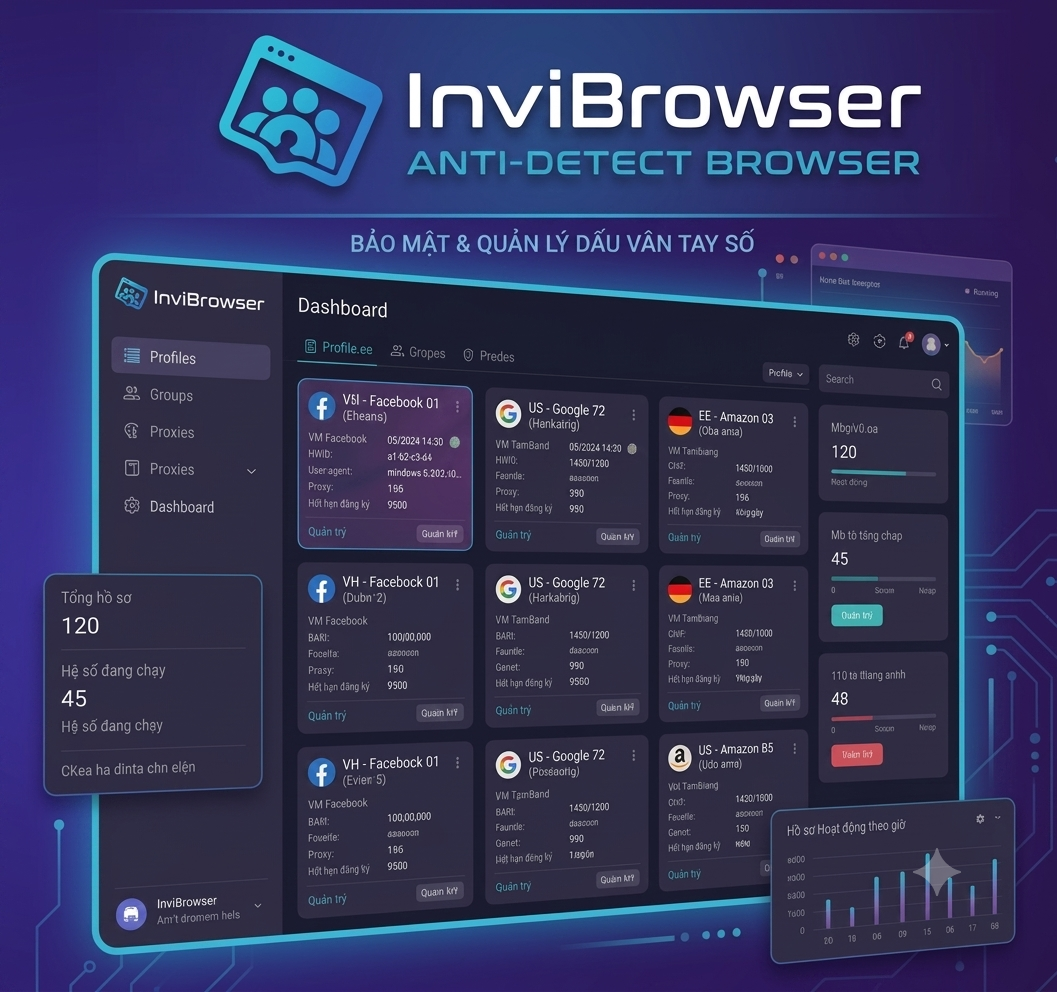
For example, on InviBrowser, each Browser Profile has its own Browser Fingerprint, its own Cookies, and can be assigned its own Proxy. This lets every profile operate as a separate browsing environment, suitable for needs such as managing many profiles or testing across different contexts.
Frequently Asked Questions (FAQ)
Does a Proxy change the Browser Fingerprint? No. A Proxy only changes the IP address. The Browser Fingerprint stays the same if you keep using the same browser and device.
Does clearing Cookies remove the Browser Fingerprint? No. Cookies and the Browser Fingerprint are two different mechanisms. Clearing Cookies does not change the technical parameters that make up the Fingerprint.
How do a VPN and a Proxy differ? A VPN encrypts all network traffic and changes the IP for the entire device, while a Proxy usually only forwards the traffic of the specific app or browser configured to use it.
Can an Antidetect Browser replace a Proxy? Not entirely. An Antidetect Browser mainly manages the Browser Fingerprint, Cookies, and Browser Profiles, while a Proxy handles the IP. The two tools solve different problems and are often combined when you need to build separate browsing environments.
Are free proxies safe to use? Free proxies are often unstable, easily blocked by websites because they are shared by many users, and carry the risk of data leaks through third parties. For work involving important accounts, consider a reliable paid proxy.
Who is InviBrowser for? InviBrowser is a good fit for agencies, QA teams, marketing teams, ad verification specialists, and anyone who needs to manage multiple independent Browser Profiles on the same computer.
Read more articles on the InviBrowser Blog.