
InviBrowser and Regular Antidetect Browsers: What Are the Key Differences?
Discover InviBrowser with Proxy Guard, Sync Control, Workflow Automation, and team permission management to efficiently manage multiple accounts.
Discover InviBrowser with Proxy Guard, Sync Control, Workflow Automation, and team permission management to efficiently manage multiple accounts.
When searching for an antidetect browser, many people first pay attention to its ability to create multiple browser profiles and isolate browser environments. However, as the number of accounts increases, managing proxies, synchronizing operations, automating workflows, and assigning member permissions also become critical factors.
So what else does a multi-account management tool need besides Browser Profile? **InviBrowser **combines profile management with Proxy Guard, Sync Control, Workflow Automation, Extension Hub and team-specific features, allowing users to organize multiple operational tasks on a single platform.
Start your free InviBrowser experience to explore profile management, proxy, and automation features with the forever-free plan at 0 VND.
What needs do regular antidetect browsers meet?
Antidetect Browser is designed to create and manage multiple separate browser environments. Each Browser Profile can maintain its own unique Cookies, Sessions, Proxy settings and Fingerprint parameters.
For basic needs, users can use Profiles to separate accounts by project, platform, or work purpose.
However, as the scale of operations grows, you may need additional supporting tools:
-
Monitor the status and quality of Proxies.
-
Perform the same operation on multiple Profiles.
-
Automate repetitive steps.
-
Install appropriate utilities for each environment.
-
Share Profiles with team members and control access permissions.
Not all antidetect browsers lack these features. What matters is how they are integrated and work together in real-world usage workflows.
What makes InviBrowser different?
InviBrowser not only focuses on creating browser profiles but also integrates a wide range of tools to support operational workflows.
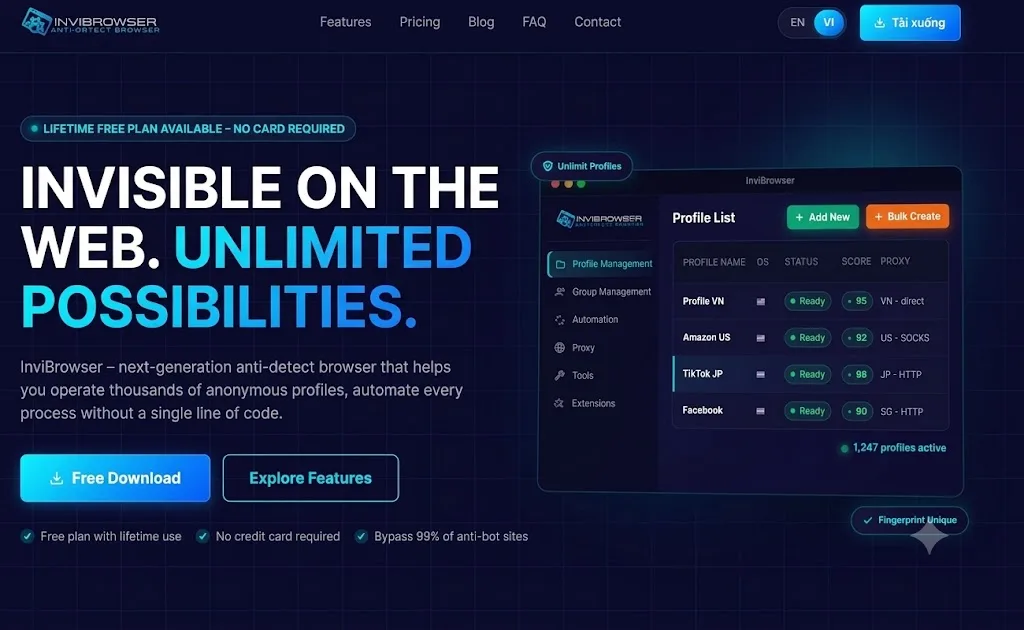
It is worth noting that these features serve different stages, from environment setup and connection testing to performing operations and user management.
Proxy Guard – Not only attaches proxies but also monitors their status
When managing multiple browser profiles, it is crucial to know which proxy is active, which one has a slow response, or which one has lost connection.
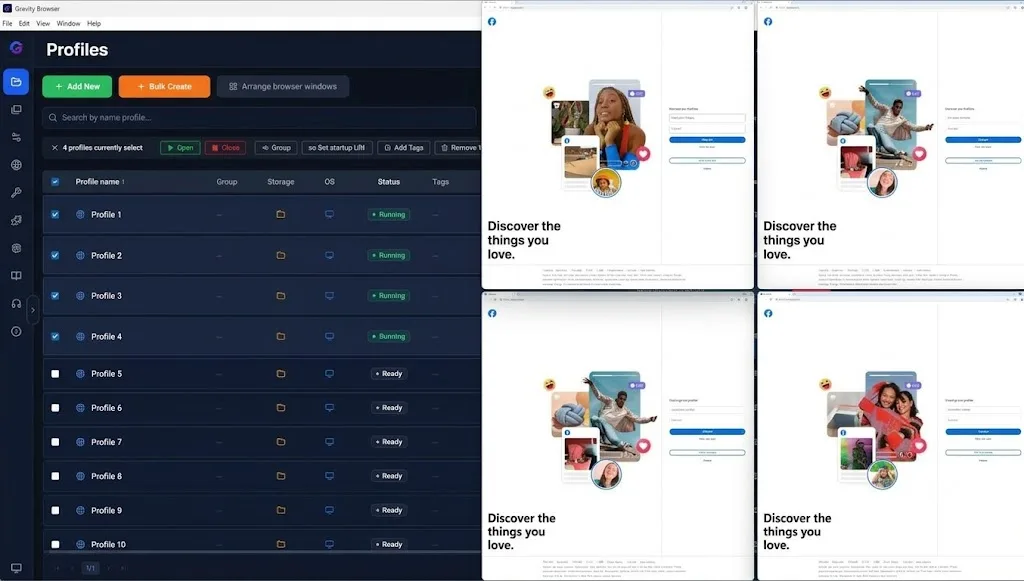
If proxies are only stored in a separate list, users may need to check them manually before use.
**Proxy Guard **in InviBrowser focuses on managing proxies directly within the system.
Notable features include:
-
Check the Proxy status.
-
Monitor connection latency.
-
Displays the country and proxy type.
-
Filter proxies by status: Alive, Slow, Dead, and Unchecked.
-
Attach proxies to profiles and support periodic checks.
Thanks to this, you can detect problematic Proxies before integrating them into your workflow, and easily identify which environments require inspection or modification.
*Learn more:What is a Proxy? How Proxies Work and a Beginner's Guide to Using Proxies**
Sync Control – Synchronize operations across multiple Profiles
When operating multiple accounts, some operations may need to be repeated across multiple browser windows. Performing each step individually will be time-consuming, especially as the number of Profiles increases.
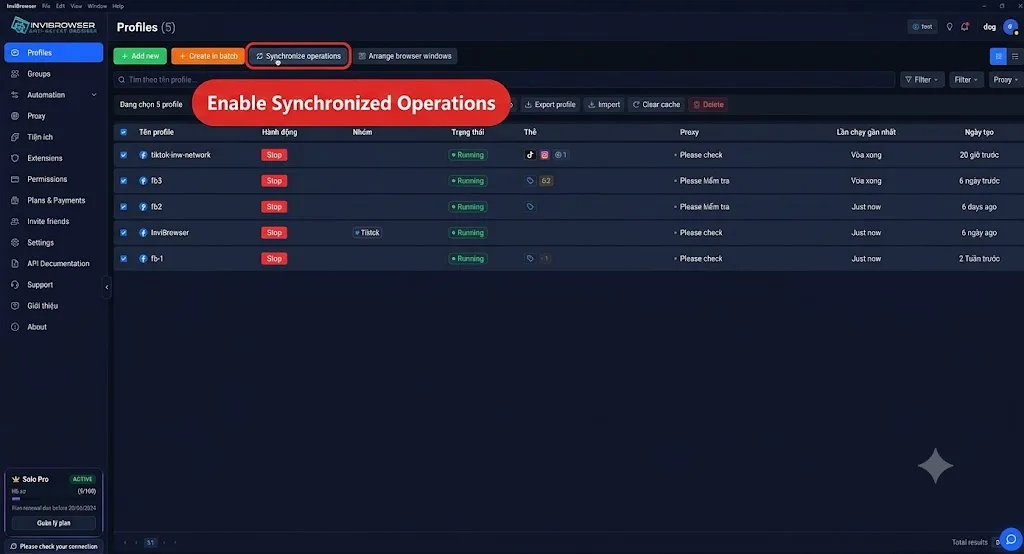
**Sync Control **allows users to control a main Profile and mirror operations to other running windows.
In addition to synchronized operations, InviBrowser also supports:
-
Arrange multiple windows in a grid layout.
-
Open and close the Profile from the management area.
-
Group and tag Profiles.
-
Monitor the running status of the Profiles.
The advantage is that users can synchronize relevant operations while viewing the windows within the same interface.
This feature is useful when you need to perform similar steps across multiple environments, but you should still check the content and operations before synchronizing to avoid mass errors.
Workflow Automation – Drag-and-Drop Automation
While Sync Control supports direct operation synchronization, Workflow Automation is better suited for pre-defined processes.
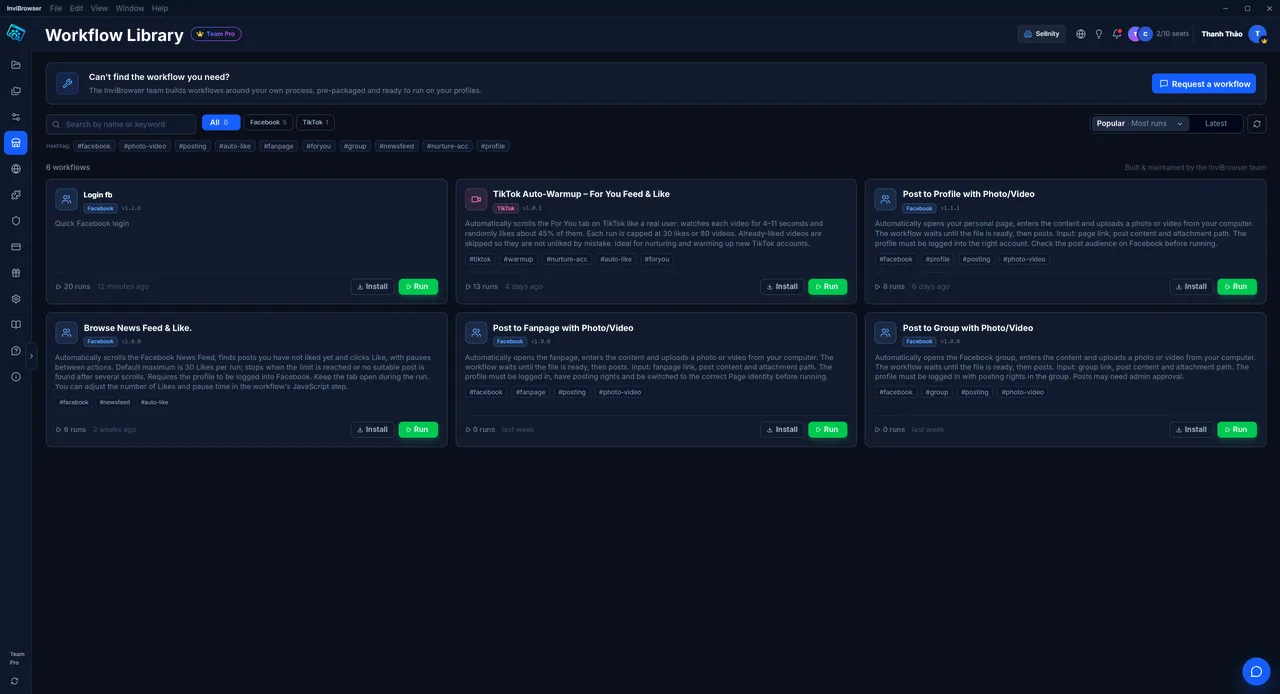
InviBrowser provides a drag-and-drop workflow builder that allows users to build operation flows using functional blocks without writing code for basic processes.
Depending on the workflow, you can combine operations such as:
-
Open a new tab.
-
Access the URL.
-
Click.
-
Enter text.
-
Press the key.
-
Read data from supported sources.
Workflows can be saved, tested, and reused for applicable processes.
This helps reduce the need for manual re-execution of each step and standardizes operational procedures as the number of Profiles increases.
For actions related to login, advertising, or content posting, it is necessary to set up an appropriate workflow and comply with the terms of the platform being used.
Extension Hub – Manage browser extensions right within your browser
Browser extensions are often a part of the daily work of marketers, sellers, and affiliate marketers.

However, when managing multiple Profiles, finding and installing extensions for each environment can add extra time to the setup process.
**Extension Hub **allows users to access the Chrome Web Store directly within InviBrowser to search for and install extensions for the Profile they need to use.
You can find utilities that serve needs such as:
-
Work and productivity tools.
-
Shopping and e-commerce.
-
Design.
-
Accessibility support.
-
Tools dedicated to specific workflows.
Installing extensions on demand ensures that each browser environment only has the necessary tools. Users should still verify the publisher and data access permissions before installation.
Team Permission Delegation – Control who can perform which actions on each Profile
When multiple people manage an account together, sharing just the Profile is not enough. The administrator also needs to define which members have permission to use, edit, or perform critical operations.
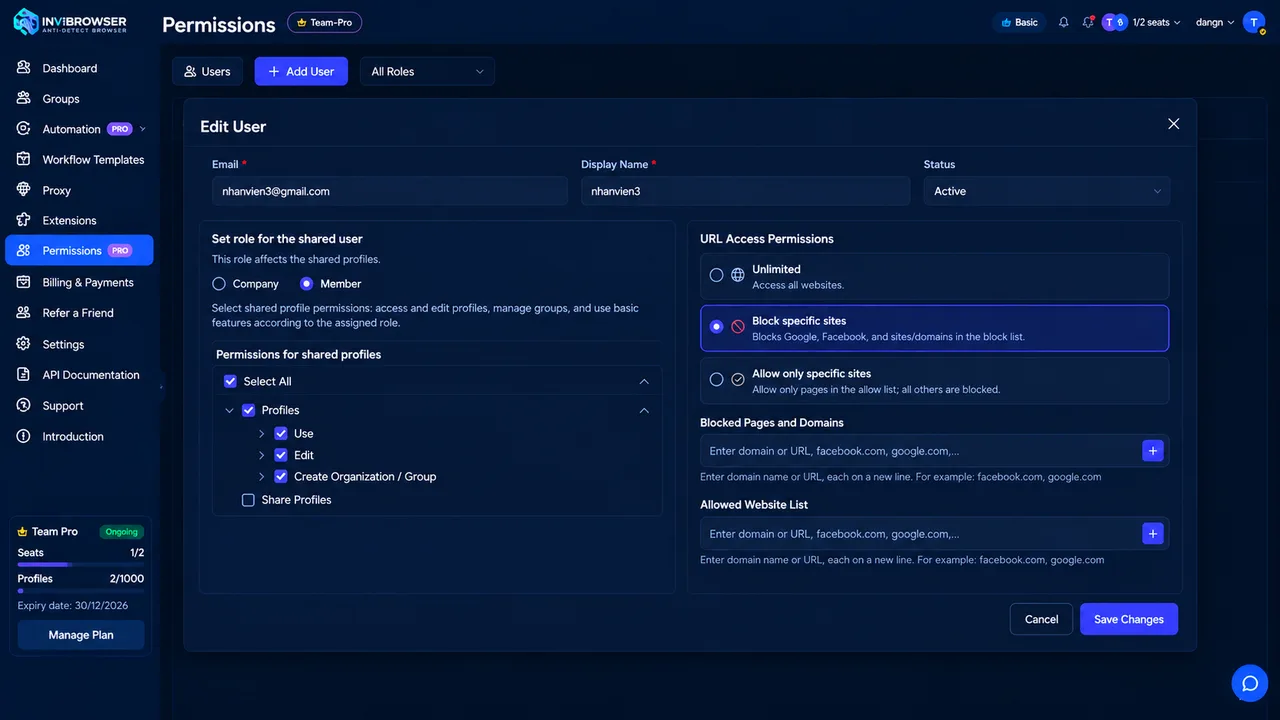
InviBrowser supports workspace member management, profile sharing, and access permission configuration based on job scope.
Managers can organize permissions as follows:
-
Use Profile.
-
Edit Profile.
-
Manage Proxies or Fingerprints according to the granted permissions.
-
Share, export, or delete Profiles based on the granted permissions.
As a result, the Team does not necessarily need to grant full administrative privileges to all members.
URL Access Permission
In addition to the permissions for operating on Profiles, InviBrowser also supports **URL Access Permissions **with three modes:
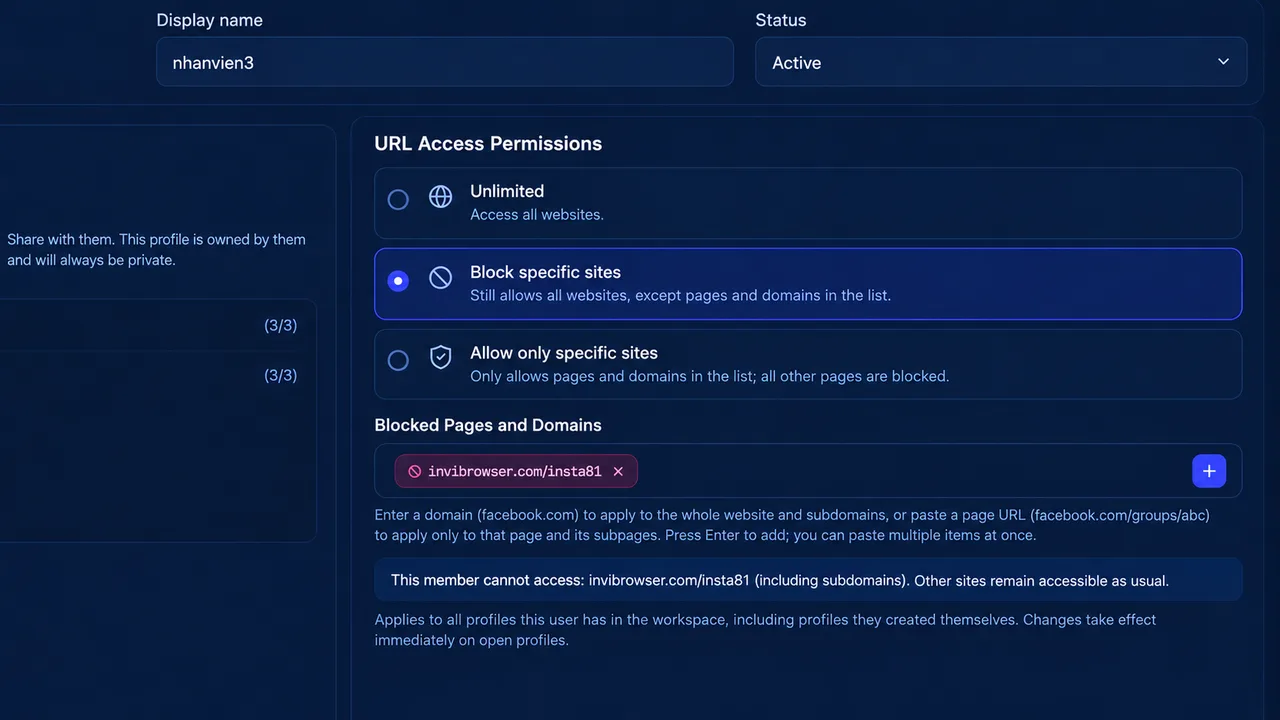
-
**No restrictions: **Allows access to all websites.
-
**Block certain pages: **Block URLs or domain names that are on the list.
-
**Allow only specific pages: **Only access pre-configured URLs or domains.
Combining Profile usage permissions with URL access permissions helps administrators clearly define which Profiles members can use, what operations they can perform, and which websites they can access.
This is a useful feature for agencies, ad teams, and groups that need a clear division of work responsibilities.
Free Plan at VND 0 forever – Try before you upgrade
One notable feature of InviBrowser is that its Free plan can be used permanently without recurring payments.
The free plan currently includes:
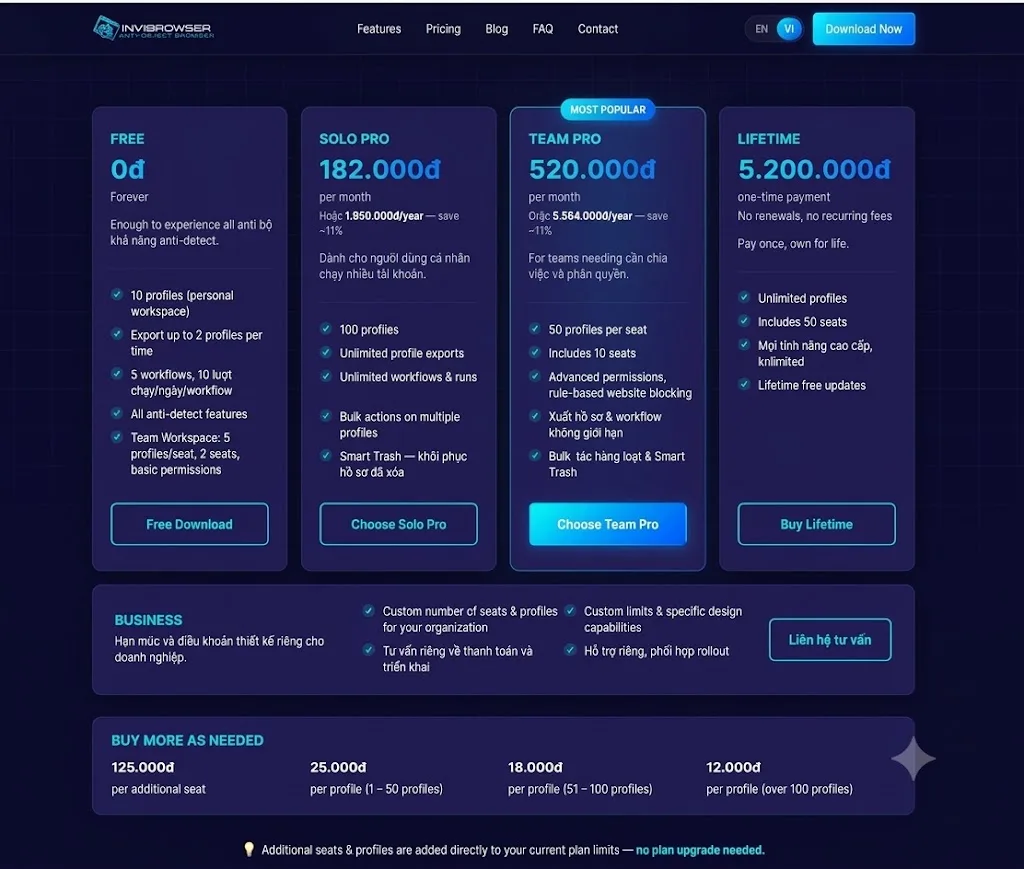
-
**10 Browser Profiles **in the personal workspace.
-
5 Workflows, each Workflow has 10 runs per day.
-
Maximum 2 Profiles can be exported at a time.
-
Core antidetect features.
-
Basic Workspace Team plan with a maximum of 2 members and profile limits based on seats.
Given these limitations, users can start with a small group of Profiles, test Proxy management, get familiar with operation synchronization, and build out their Workflow before deciding to upgrade.
As demand increases, paid plans expand the limits for Profiles, Workflows, and advanced management features.
Experience InviBrowser for free at 0 VND to test out its features on your actual workflow before choosing a suitable plan.
Who is InviBrowser suitable for?
Marketer and Affiliate Marketer
If you manage multiple accounts or campaigns, InviBrowser helps organize Profiles, track Proxies, and standardize repetitive operations.
Seller and E-commerce Team
When operating multiple stores or projects, you can categorize Profiles by environment and use the utilities required for your work.
Agencies and Ad Teams
With multiple team members working together, Workspace, profile sharing, and permission assignment make task assignment, handover, and access right management more transparent and streamlined.
People who need to automate processes
If your work involves many repetitive tasks, Workflow Automation helps build reusable process flows instead of having to perform each step manually.
InviBrowser FAQ
Is InviBrowser suitable if I only need to manage browser profiles?
Yes. You can start with the profile creation and management feature, then add Proxy Guard, Sync Control, or Workflow Automation as your needs arise.
Is there a fee required to try Workflow Automation?
Not necessarily. The Free plan currently offers 5 Workflows, with 10 runs per day for each Workflow, which is sufficient for you to get familiar with and test basic processes.
Conclusion
The difference between a profile management tool and a multi-account operation support system lies in the tasks that take place after the profiles are created.
With InviBrowser, users can combine Profile management, Proxy Guard, Sync Control, Workflow Automation, Extension Hub, and Team permission management all within a single platform.
See also:
You can **experience InviBrowser for free **to explore how to manage Profiles, Proxies, synchronize operations, and automate workflows to match your needs.