
VPS vs Antidetect Browser: Which Solution Should MMO Users Choose?
When working in MMO, especially in Affiliate marketing, Social Media, E-commerce, or managing multiple accounts, you often need a stable working environment
When working in MMO, especially in Affiliate marketing, Social Media, E-commerce, or managing multiple accounts, you often need a stable working environment that can handle multiple accounts simultaneously. At this point, two commonly mentioned tools are VPS and Antidetect Browser.
Many people believe that renting a VPS is sufficient to get a dedicated environment for managing multiple accounts. Meanwhile, some others opt for antidetect browsers to separate each account into independent browser profiles.
So where do these two tools differ? Can a VPS replace an antidetect browser, or should you combine both to optimize your MMO workflow?
Try InviBrowser for free to discover how to manage multiple browser profiles, proxies, and automate tasks all on a single platform.
What is a VPS?
A VPS (Virtual Private Server) is a virtual private server created from a physical server. The provider allocates resources such as CPU, RAM, and storage to give users a dedicated computing environment.
You can access the VPS remotely over the Internet and use it just like a regular computer.

Some characteristics of a VPS:
-
It has its own operating system, usually Windows or Linux.
-
Allocated with CPU resources, RAM, and storage capacity.
-
It has an IP address for connecting to the Internet.
-
Software can be installed as needed.
-
Continuous operation is possible depending on the configuration and the service provided by the supplier.
For the MMO community, VPS is commonly used to run software, manage systems remotely, operate websites, or maintain processes that require a computer to run continuously.
For example, you can rent a Windows VPS, install Chrome, log in to your accounts, and carry out your work without having to keep your personal computer turned on all day.
What is an antidetect browser?
An antidetect browser is a browser designed to create and manage multiple separate Browser Profiles.

Each Profile can maintain its own separate data and settings, such as:
-
Cookie.
-
Login session.
-
Browser Fingerprint.
-
Proxy.
-
Extension.
-
Browser environment parameters.
Instead of logging into multiple accounts within the same Chrome environment, you can create separate Profiles to manage each account individually.
Example:
-
Profile A → Facebook Account A.
-
Profile B → TikTok Account B.
-
Profile C → Affiliate Account C.
Each Profile can save login status and settings so you can pick up where you left off in future sessions.
In addition to creating profiles, some antidetect browsers also integrate tools such as proxy management, operation synchronization, automation, and member permission management.
Learn more: What is an antidetect browser? A complete A-Z explanation for beginners
What is the difference between a VPS and an antidetect browser?
The core difference is that a VPS provides a remote computing environment, while an antidetect browser focuses on managing multiple browser environments on the same device.
Thus, VPS and antidetect browsers do not completely replace each other. Each tool addresses a distinct part of the operational workflow.
Is using a VPS sufficient for managing multiple accounts?
A VPS provides you with a private virtual computer to work remotely. However, this does not mean that every login account on the VPS will automatically have an independent browser environment.
For example, you rent a Windows VPS, install Chrome, and log in to 10 different accounts.
Although each account can be logged into a separate Chrome profile, they can still share the following:
-
An operating system.
-
A virtual device.
-
A network connection or IP address of the VPS.
-
Hardware characteristics and browser environment are similar.
If no additional settings are configured, the VPS will not automatically separate Cookies, Sessions, Proxies, and Fingerprints into separate environments for each account.
Some limitations of using only a VPS to manage multiple accounts:
-
You need to install and manage the browsers yourself.
-
Managing multiple proxies without supporting tools is difficult.
-
There is no built-in system for managing fingerprints on a per-profile basis.
-
It is difficult to categorize and track dozens of browser environments.
-
Additional software may need to be installed to support synchronization and automation.
Therefore, if your primary need is to manage multiple accounts with separate browser environments, renting only a VPS may not be sufficient.
What can an antidetect browser solve that a VPS does not focus on?
While a VPS provides you with a remote computer to work on, an antidetect browser focuses on organizing the browser environment within that computer.
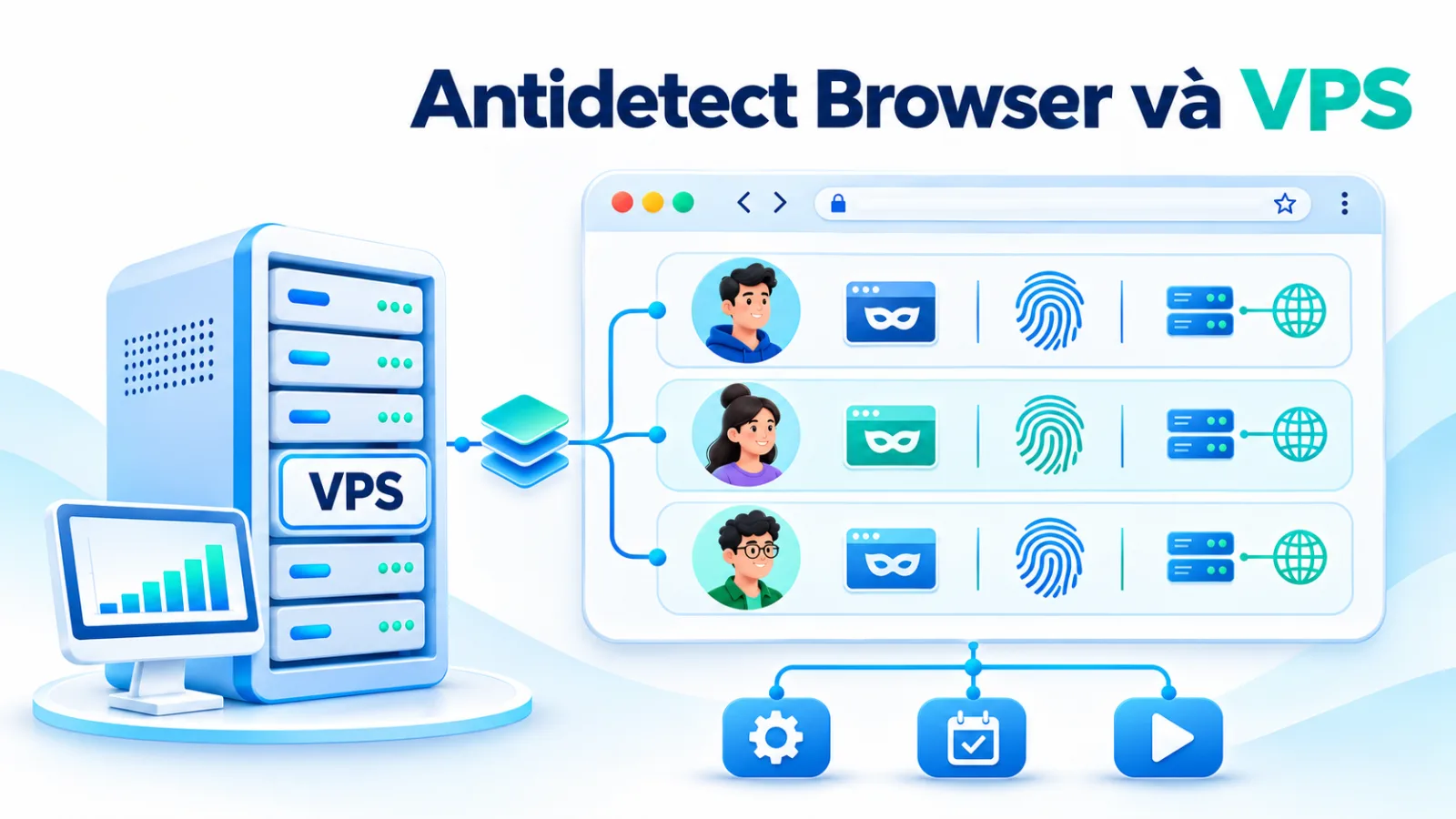
Create multiple independent Browser Profiles
You can create multiple Profiles on the same device, with each Profile dedicated to a separate account or project.
Data such as Cookies and Sessions are stored per Profile, allowing you to reopen the exact working environment without having to log in again from scratch.
Browser Fingerprint Management
Antidetect Browser allows you to configure fingerprint parameters on a per-profile basis.
Some of the parameters may include:
-
User Agent.
-
Operating System.
-
Screen resolution.
-
Time zone.
-
Language.
-
Canvas.
-
WebGL.
-
WebRTC.
This allows users to manage browser environment settings on a per-Profile basis, instead of only using a single shared Chrome configuration.
Proxy Binding by Profile
VPS typically comes with a private network connection configured by the provider. If you want to use different proxies for each account, you will still need to set them up additionally.
Meanwhile, antidetect browsers usually support directly attaching a proxy to each browser profile.
Example:
-
Profile A → Proxy A.
-
Profile B → Proxy B.
-
Profile C → Proxy C.
This makes it more convenient for you to monitor the network connection of each environment. Learn more: What is a Proxy? How Proxies Work and a Beginner's Guide to Using Proxies
Manage multiple profiles on the same interface
Instead of having to open each browser individually or set up multiple separate folders on your VPS, you can manage your profile list in a centralized manner.
Common features include:
-
Create individual or bulk Profiles.
-
Name and group them.
-
Add Tag.
-
Search and filter Profiles.
-
Launch and close the Profile.
-
Environment-specific Proxy Management.
Support for synchronization and automation
Some Antidetect Browsers also integrate Sync Control and Workflow Automation features.
As a result, users can reduce repetitive operations when managing multiple accounts instead of having to perform each step manually.
Should MMO Players Choose VPS or Antidetect Browser?
There is no one-size-fits-all option. You should base your choice on the actual work requirements.

Choose a VPS if you need to:
-
A virtual computer for remote work.
-
Run the software continuously.
-
Store and operate the system on your own.
-
Access your computer from multiple locations.
-
It comes with dedicated CPU, RAM, and storage resources tailored to your needs.
Choose an antidetect browser if you need to:
-
Manage multiple accounts on the same device.
-
Create a separate browser profile for each account.
-
Store Cookies and Sessions.
-
Configure Fingerprint according to Profile.
-
Set up a dedicated Proxy.
-
Classify multiple profiles by project.
-
Share Profiles and set Team permissions.
-
Synchronize operations and automate workflows.
Combine both if you need to:
-
Work remotely on a virtual machine.
-
Maintain a continuous working environment.
-
Manage dozens or hundreds of Browser Profiles.
-
Organize multiple accounts by project.
-
Assign tasks to multiple team members.
Manage Multiple MMO Accounts with InviBrowser
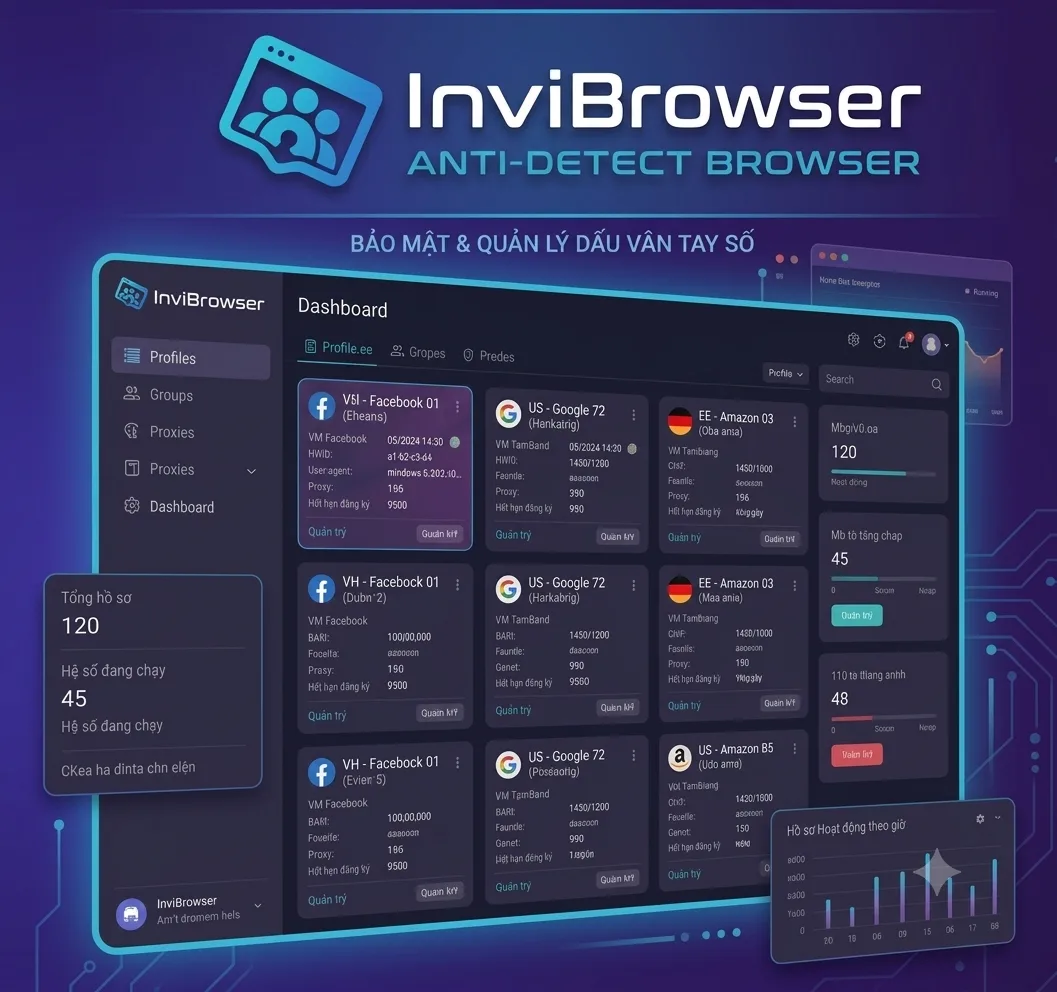
If your primary need is to manage multiple accounts, InviBrowser focuses on addressing browser environment isolation rather than providing a virtual machine like a VPS.
InviBrowser allows you to create and manage multiple Browser Profiles, and each Profile can be individually configured with respect to:
-
Cookies and Sessions.
-
Browser Fingerprint.
-
Proxy.
-
Browser environment parameters.
In addition, InviBrowser also integrates features to support operation:
Proxy Management with Proxy Guard
You can add proxies, assign proxies to profiles, and check the connection status.
Proxies are classified based on their statuses as follows:
-
Live.
-
Slow.
-
Die.
-
Not checked yet.
This makes it easier to monitor proxies as the number of Profiles increases.
Sync Control – Operation Synchronization
When you need to perform the same operation across multiple windows, Sync Control supports synchronization from the main Profile to other Profiles that are being controlled.
This way, you don't have to repeat the same sequence of operations on each individual window.
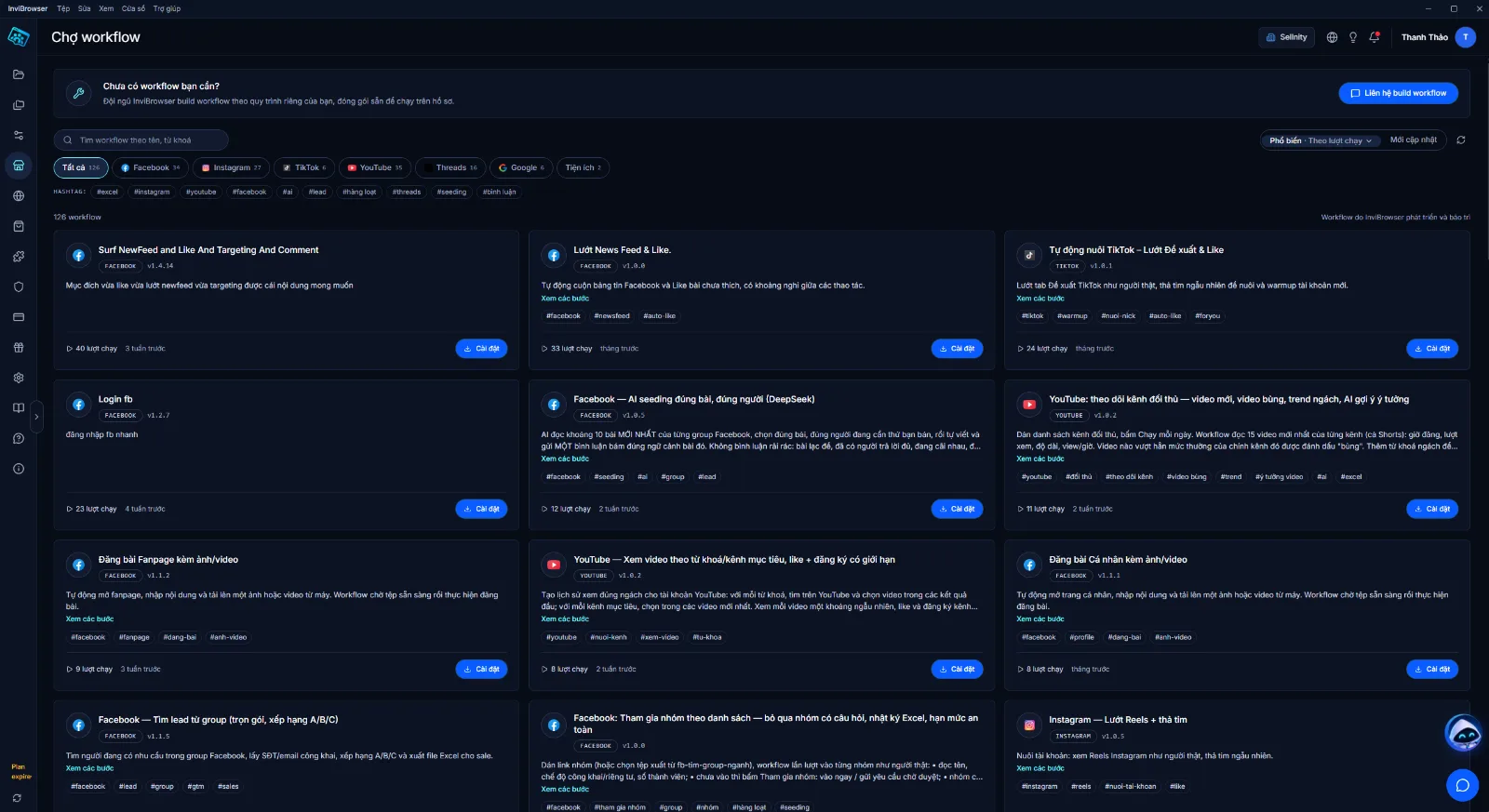
Workflow Automation – Process Automation
InviBrowser provides a Workflow Library with pre-built workflows for various platforms and different use cases.
Users can search for, view descriptions of, install, and configure Workflows without necessarily having to write code from scratch.
Workspace and Team Permissions
If you work in a team, you can add members to the Workspace, share the required Profiles, and set appropriate access permissions.
In addition to the permission to use or modify the Profile, InviBrowser also supports URL Access Permission with the following modes:
-
Unlimited.
-
Block certain pages.
-
Only certain pages are permitted.
As a result, the handover of profiles and the management of each member's scope of work become more transparent.
Start with the Free plan, permanently priced at ₀ VND
If you are not sure whether an antidetect browser is suitable for your workflow, you can start with the Free plan of InviBrowser.
The free plan currently offers:
-
10 Browser Profiles in the personal workspace.
-
5 Workflows, each Workflow has 10 runs per day.
-
Maximum 2 Profiles can be exported at a time.
-
Core antidetect features.
-
Basic Workspace Team.
You can try managing a group of accounts before deciding to upgrade or add more VPS instances when you actually need a remote working environment.
Experience InviBrowser for free at zero cost to create Browser Profiles, manage Proxies, and explore tools that support multi-account operations.
Conclusion
VPS and antidetect browsers are not two directly competing tools, as they serve different purposes.
A VPS provides remote computing infrastructure, while an antidetect browser helps manage multiple separate browser environments and accounts.
If you need a remotely operable computer, a VPS is the right choice. If you need to manage multiple browser profiles, cookies, sessions, fingerprints and proxies, an antidetect browser will be a more appropriate solution.
For MMO workflows that require both, you can perfectly combine a VPS and InviBrowser to get a remote working environment while centrally managing multiple accounts.
See also:
You can try InviBrowser for free to start managing browser profiles and choose a workspace organization approach that fits the scale of your MMO operations.